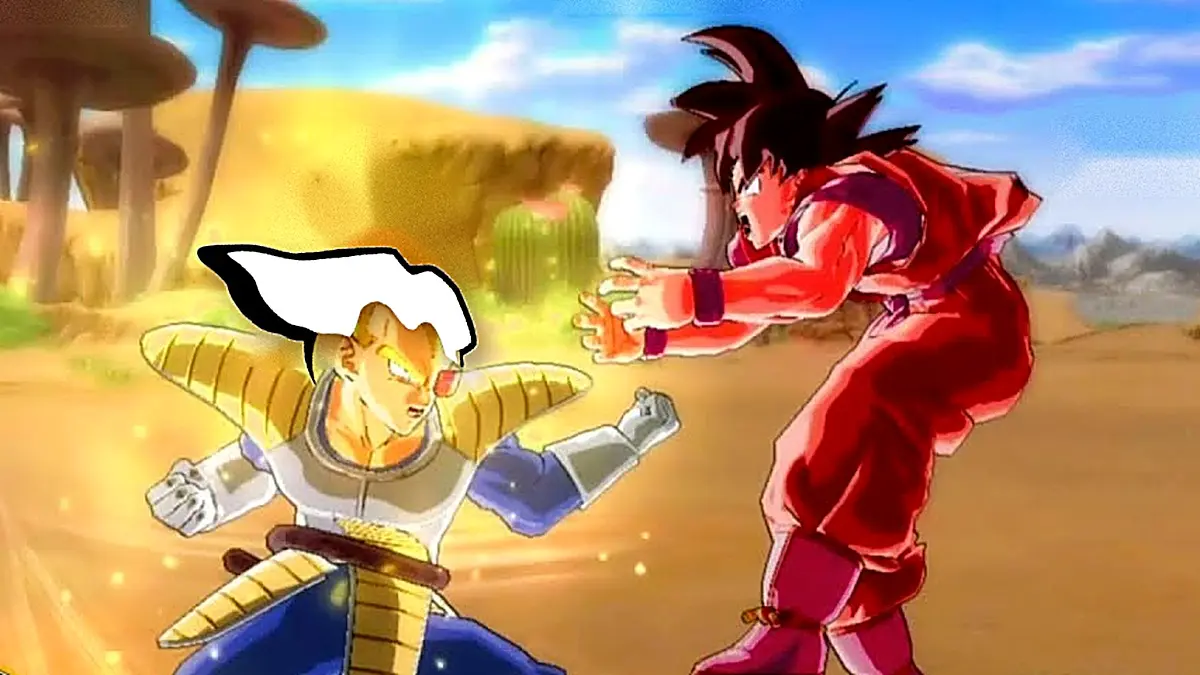
The Dragon Ball fans have a fresh reason to celebrate, because the Burst Limit port for PC has arrived, an unofficial version of Dragon Ball Z Burst Limit that runs without an emulator on Windows, offering support for up to 4K resolution, and it adds outfits, stages, and transformations that the original game kept hidden, along with ultra-wide screens, unlocked FPS, and online ranked matches. This is the fighting game that originally released in 2008 on Xbox 360 and PS3, now joining other Dragon Ball titles that the community has brought to PCs, such as Budokai Tenkaichi 3, which you can also play for free in the browser.
The project, named DBZ Burst Limit Recompiled and created by iExplosiveRage, is in alpha, at version 0.6, but arrives with an impressive list of improvements, including four hidden outfits, three new stages, and the ability to start fights transformed, for instance as Goku Super Saiyan, Freeza in his final form, or Perfect Cell.
How the Burst Limit port works without an emulator
Unlike an emulator, which imitates the console’s hardware, this port translates the Xbox 360 version’s code into a native Windows program, with graphics rendered via Direct3D 12. This approach enables significantly better performance, and according to its creator, tests on an RTX 4080 showed the frame rate leaping from 100 to more than 190 FPS in 4K, in addition to reducing CPU usage by up to five times.
Graphically, it allows pushing the internal resolution up to 4K or higher, playing on ultra-wide 21:9 and 32:9 displays without image stretching, and selecting between 30, 60, 120, or 144 FPS, or even unlocking them. It also adds DLSS and DLAA for NVIDIA RTX cards, and FSR 4 and FSR 3.1.5 for the rest, along with a free camera mode for taking photos and Xbox, PlayStation, and Switch button icons according to the controller you use. For more modest machines, it can lower the resolution below 720p and almost triple the FPS.
Online matches, mods and new characters
The most striking feature of the Burst Limit port is its online play over the internet, without the need for a VPN, with rooms that appear in the game’s own menus. It includes the original ranked matches with their power level and rank, leaderboards showing wins, losses, and each player’s favorite character, and private rooms where the host selects life, attack, defense, time, and rounds for each fight.
Additionally, the port includes a mods menu inside the game, allowing new characters to be added on a second page of the fighter selection, loading HD texture packs, and even converting PS3-version models. For those who miss other titles in the saga, it also adds the option to charge ki by holding down L3, akin to Shin Budokai.
Requirements and how to download it
All interested users can download the Burst Limit port for free from its GitHub version page, which offers a ready-to-play build that doesn’t require compiling, and that updates itself from within the game. To run, it requires 64-bit Windows 10 or 11 and a Direct3D 12‑compatible graphics card, plus a Linux version and Steam Deck support. As with most of these projects, it does not include the game files, so each player must use their own Xbox 360 copy, which must be the US version.
- Download the compressed file from the project’s version page on GitHub.
- Unzip it to any folder on your computer.
- Open burstlimit.exe.
- The first time, select the ISO image of your US Xbox 360 Burst Limit copy. The program will copy the game files, about 3.3 GB.
- At the start screen, press Play. To adjust the resolution, FPS, and other options, press F1, or Back and Start on the controller.
- To play online, go to the game’s Online Matches menu and create a room or join one of the listed rooms.