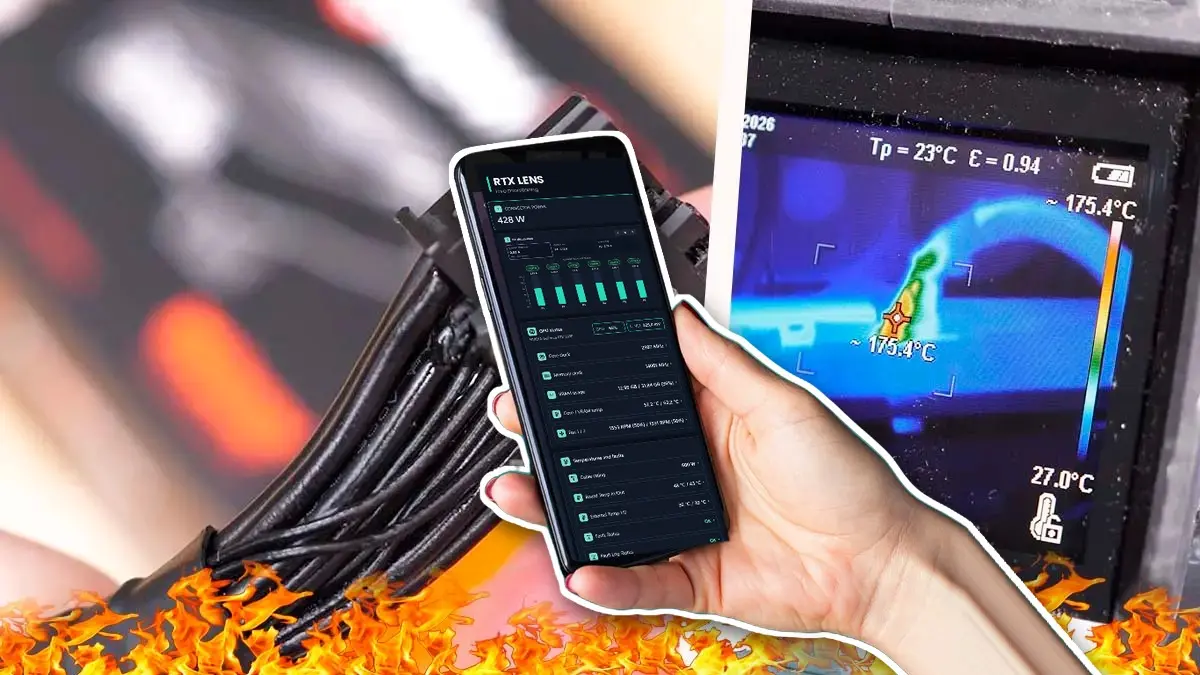
RTX Lens is a free and open-source application that monitors in real time the current flowing through each pin of the power connector on compatible RTX 5090 and RTX 5080 GPUs, sends alerts to your mobile device, and can shut down the computer automatically if a persistent issue is detected. It was created by a developer known as Codehack_GR, who, according to VideoCardz, started the project after buying two RTX 5090s.
The tool arrives amid longstanding concerns about the 16-pin connectors melting on some cards from the RTX 40 and RTX 50 series, a problem that has pushed manufacturers and players to look for ways to monitor how much power each cable carries before the heat damages the card, the power supply, or the entire system.
What RTX Lens Does
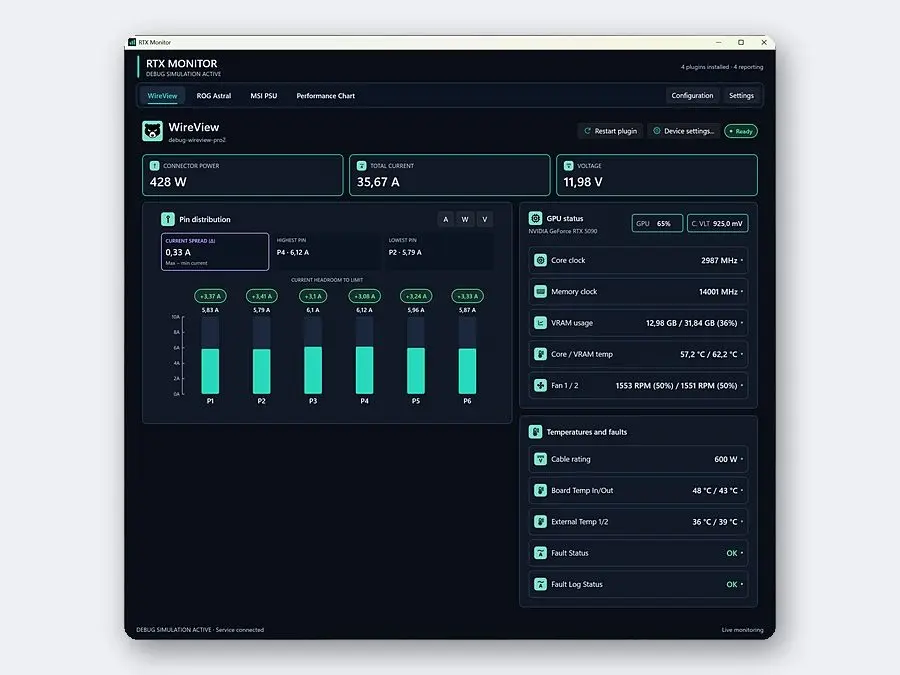
RTX Lens displays in real time the power of the connector, the voltage and the current for each pin on compatible hardware, and lets users compare what the graphics card measures with what the power supply measures, to detect if any pin is carrying more current than it should, as explained on its official site, which also links to the project code on GitHub.
The application also allows recording gaming sessions and reviewing them later, with the option to zoom in on consumption peaks and export a graph, which is very useful for understanding what happened if the computer behaved oddly during a long session of play.
Additionally, it offers configurable alerts for each device, with thresholds set by the user, reminders, and the option to shut down the computer if a warning persists, providing an extra safety measure for those who leave their system running for hours.
RTX Lens Also Works From Your Phone
One of the most striking features is that RTX Lens has apps for Android and iPhone, which allow you to check the card’s status from the mobile device, although on iPhone it is installed through AltStore Classic and not from the App Store, and in both cases the computer and the phone must be connected to the same network.
To link the phone, simply enable mobile access in the computer app’s settings, create a code, scan it with the phone, and approve the device, which makes it possible to monitor the card while gaming in fullscreen or from another room.
The application also includes a widget for the Corsair Xeneon Edge display and settings for compatible MSI power supplies, such as a fan curve with up to six temperature points, making it useful for both monitoring and fine-tuning the system.
Which GPUs and PSUs Are Compatible with RTX Lens
The app shows basic data such as frequencies, temperature, usage, and fans on any desktop GeForce RTX card, but the pin-by-pin reading only works with hardware that has dedicated sensors, which are the ASUS ROG Astral RTX 5080 and RTX 5090, the Thermal Grizzly WireView Pro II, including its Noctua edition, and the power supplies MSI MPG Ai1300TS and Ai1600TS, which provide the current for each pin of their two connectors along with temperature and fan status.
The project page clarifies that sensor availability varies by device, so not all readings appear on every system, and the computer app must be open to receive notifications.
How to Install RTX Lens
- Visit the official site rtxlens.com.
- Click Download RTX Lens and download the Windows installer.
- Run it and accept the administrator permission.
- Open RTX Lens and check that your graphics card appears.
- Set up alerts with the limits you want.
- If you want to use the phone, enable mobile access and scan the code with your phone.
The app runs on Windows 11 and on Windows 10 from version 17763, and since it is open source anyone can review how it works on GitHub, though the safest approach is to download it only from its official site, rtxlens.com, or from its GitHub page, and never from third-party sites offering it.
Why RTX Lens Matters to RTX 5090 Owners
RTX 5090s consume around 575 W, and since all that energy passes through a single 16-pin connector, a loose cable or a pin carrying more current than the others can cause heat to concentrate at a single point and melt the plastic, an issue that has been reported by players around the world.
ASUS offers a feature called Power Detector+ in its GPU Tweak III software for Astral cards, and other developers created tools like 12VHPWR Guard, which shuts down the PC if a pin exceeds 9.5 A for more than 15 seconds, but RTX Lens stands out because it brings together the card, the WireView, and the power supply in one place, with alerts on the phone.
No software replaces a good installation, so the most important rule remains to plug the cable all the way in, avoid folds near the connector, and use a quality power supply, but for those who invested in a RTX 5090, RTX Lens adds another layer of peace of mind that costs nothing.
