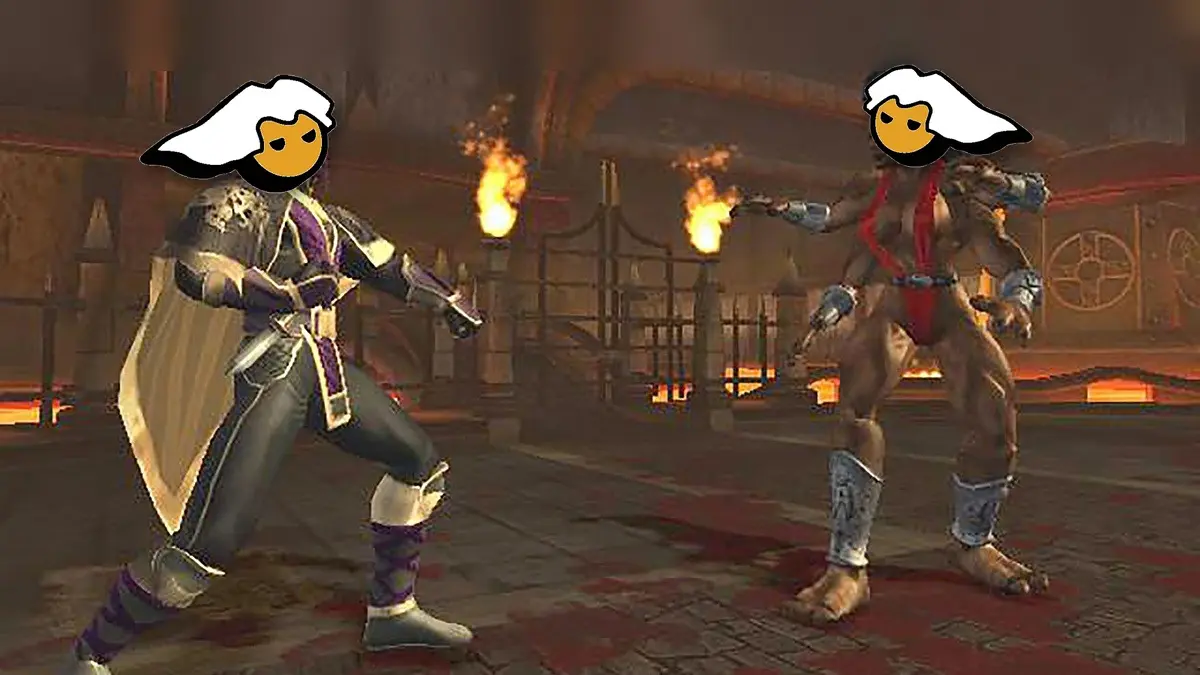
The programmer Jstackzz launched MK3D Online, a free project that brings the PC port of Mortal Kombat Armageddon without an emulator, together with Mortal Kombat Deadly Alliance and Mortal Kombat Deception, the three 3D-era games of the saga in their original Xbox versions. The ports were built with static recompilation, a technique that translates the console’s code into a program that runs directly on Windows, and they come with a launcher that adds online matches with rollback, the networking system used by modern fighting games to make online fights feel nearly lag-free.
The project debuted on October 25, and in just three days it received nine updates up to version 0.1.10, featuring Kasual mode with rematch, Ranked best-of-three with an Elo score, and private lobbies with a code to fight friends, in addition to all characters, outfits and stages unlocked in online matches. To run it you need 64-bit Windows 10 or 11, a graphics card compatible with DirectX 12, about 6 GB free per game, and your own copy of the game in disc image, because the project does not include any Mortal Kombat files.
What the Mortal Kombat Armageddon PC port includes
Armageddon, released by Midway in 2006, brought together more than 60 fighters from across the saga’s history, and in this PC version you can play the full single-player, with its original menus, the practice mode, and extras like Motor Kombat, while Deception adds its classic Chess Kombat and Puzzle Kombat.
Graphically, the port runs at your monitor’s native resolution, in full screen, windowed, or borderless, with V-sync and brightness adjustment, and Deception and Armageddon appear in widescreen, while Deadly Alliance, which never had that mode, is stretched to fill the screen or can be left in its original 4:3 format with black bars on the sides.
The port works with Xbox, PlayStation and Switch controls, and even with arcade sticks, in addition to the keyboard, and from the launcher you can change what each button does, with a change that the game adopts instantly even if it is running.
How online matches work
Although Armageddon and Deception had Xbox Live in their era, that service for the original Xbox was shut down years ago and they never had rollback, a system that predicts what the opponent is pressing and instantly corrects the fight when the real information arrives, instead of freezing the game while waiting for each signal as happened on consoles of that generation.
In addition to Kasual, Ranked and lobbies, the launcher allows up to eight people to watch a lobby as spectators, and lets you choose whether Kasual fights have the stage’s deadly traps enabled, such as the acid of the Dead Pool, while in Ranked they are always off. Fighters created in Armageddon’s Kreate a Fighter mode are excluded from online, because the opponent’s game does not have a copy of them.
While you search for a rival you can keep playing in single-player or practice, and when a fight appears the game pauses right where it left off to take you into the bout and then return you to the same point. The official server is located in Virginia, United States, and although matches normally connect directly between the two players to achieve the lowest possible ping, those who enable the option to hide their IP will fight through that server, which could add latency for players far from the United States.
How to download and install the Mortal Kombat Armageddon PC port
Before you start, you need your own Xbox original disc image in its USA version, because European (PAL), Japanese versions, the first edition of Deadly Alliance, and the Premium Edition’s extra disc for Armageddon are different and the game will likely crash with them. Tarreo does not host disc images, so this part is up to you.
- Download the launcher. Go to the project’s download page on GitHub, find the latest version, open the “Assets” section and download the MK3D-Online file that ends with .zip.
- Unzip the file. Right-click the .zip, choose “Extract All” and save it in a writable folder, such as DocumentsMK3D-Online, and never inside Program Files.
- Open the launcher. Double-click MK3DLauncher.exe and, if Windows displays the warning “Windows protected your PC” because the files are unsigned, click “More information” and then “Run anyway.”
- Grant firewall permission. When Windows Firewall asks for MK3DLauncher or the games (MKD, MKA or MKDA), click “Allow,” because without that online matches won’t work.
- Select the game. At the top of the launcher, choose Mortal Kombat Armageddon, or the one you want to set up, and go to the Build game tab.
- Load your disc. Press the button to browse for your disc image, select the .iso file (if it’s in .7z or .zip, unzip it first) and press EXTRACT AND BUILD.
- Wait for it to prepare. The launcher extracts the disc and opens the game once with a window saying it’s preparing for your PC, which takes a few minutes and only happens the first time, and when “The game is ready” appears, choose Exit (B) to return to the launcher or Start (A) to try it offline.
- Create your account. The first time you connect, the launcher opens a window to create an account with a username and password, and if you close it you can reopen it with SIGN IN at the top-right.
- Choose how to play. In Single player and then PLAY you have the full game, in PRACTICE you practice with everything unlocked, in Kasual or Ranked you press Find match to search for an opponent, and with Create lobby you set up a private room and give your friend the five-letter code to join with Join code.
- Keep it up to date. When a new version is released, the launcher will alert you with a window, and you just need to press UPDATE NOW for it to update automatically without losing your saved games or the setups you created.
If you use Windows 11 and you see a message saying “An Application Control policy has blocked this file,” the block comes from Smart App Control, which only allows signed programs to run. The creator explains that it can be disabled in Windows Security, under “App & browser control,” but warns that on some Windows 11 versions you can only re-enable it by reinstalling Windows, so that decision is yours.
If you’re going to play with a keyboard, the arrows or W, A, S and D move the fighter, J, I, K and L are the four attacks, the spacebar blocks and Enter is START.