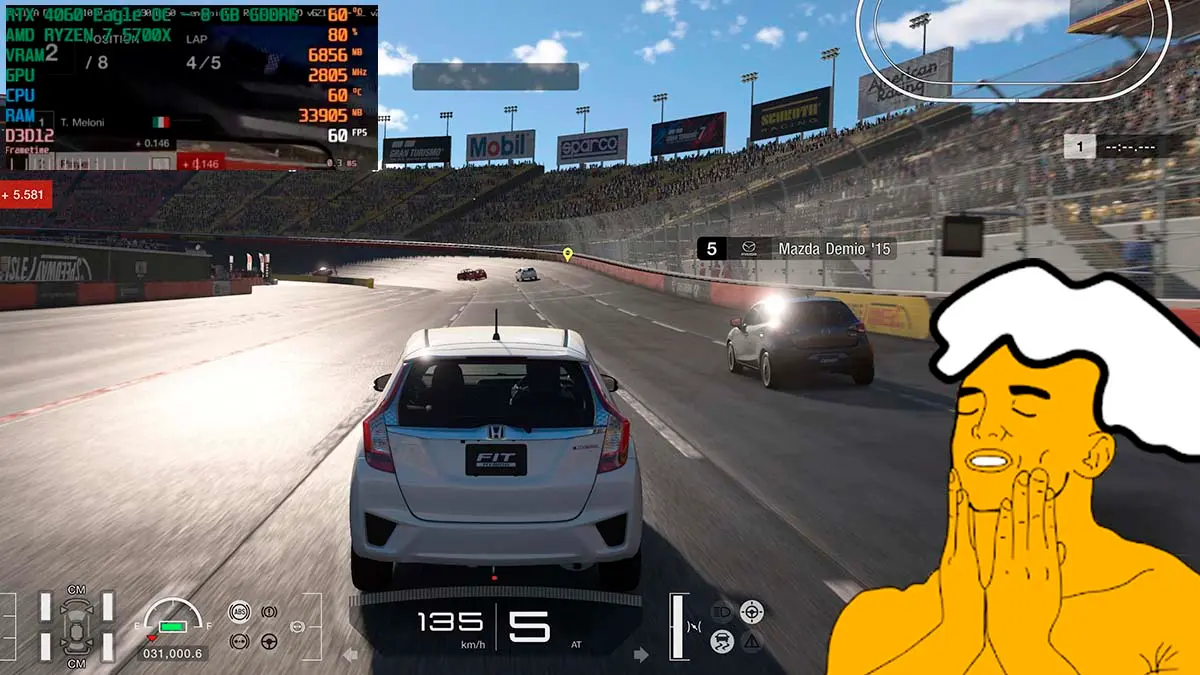
Among the PC ports created by players that we have reported in recent weeks, ryGT7 appeared. It is a PC port of Gran Turismo 7 that aims to unofficially run the PS4 version of the racing game on 64-bit Windows, with 30 FPS in its normal mode and an experimental mode that reaches up to 60 FPS. It also brings options for DLSS, FSR and Frame Generation, support for ultrawide and steering wheels, and online racing in private rooms with your friends.
It is an independent project that adapts the PlayStation 4 version of Gran Turismo 7 to run on Windows computers, not an official PlayStation release. Instead, it converts the files of your own copy of the game and translates its graphics using open-source tools. According to GameGPU, there are still no independent tests and publicly accessible source code to confirm that it works as well as its creators claim, so for now it should be considered a developing experiment. Its latest version was released on October 31 with fixes to the world map and car shaders that load faster.
The Progress of Gran Turismo 7, the Console-Exclusive, on PC
Por si no conoces este juego de carreras, Gran Turismo 7 se lanzó originalmente como un título exclusivo para las consolas PlayStation 4 y PlayStation 5, y se convirtió en uno de los referentes más importantes del género de conducción en esas plataformas. Como nunca tuvo una versión oficial para computador, la comunidad de jugadores ha buscado distintas alternativas técnicas para disfrutar la experiencia de carreras en un PC.
Para lograrlo, los desarrolladores modifican el archivo ejecutable del juego y traducen las órdenes gráficas a Vulkan, un lenguaje compatible con las tarjetas de video modernas. Eso lo hacen con un programa llamado shadGT7, que se apoya en componentes de código abierto del emulador shadPS4. Sus creadores afirman que el juego corre instrucciones nativas en el computador porque la PS4 comparte la arquitectura básica de un PC, pero el juego todavía necesita adaptar funciones internas del sistema original, y sin pruebas públicas comprobables aún no se puede confirmar que funcione exactamente como aseguran.
Para facilitar la instalación, el port para PC de Gran Turismo 7 incluye un programa de arranque que enlaza los archivos del juego, las librerías y las tipografías, así que no necesitas duplicar el juego completo en tu disco duro. También aplica de forma automática un parche para jugar sin conexión. El mismo equipo tiene además RyGTS, una versión que funciona de la misma manera con Gran Turismo Sport.
Lo que necesitas antes de empezar
- Windows de 64 bits y una tarjeta gráfica compatible con Vulkan.
- Tu copia del juego base CUSA24769 descifrado, con los archivos eboot.bin, la carpeta sce_sys con param.sfo, la carpeta sce_module y la carpeta contents con gt.idx y los archivos gt.vol. La versión probada por el proyecto es la 01.00, y las actualizaciones más nuevas todavía no están verificadas.
- Una actualización extraída, que puede venir integrada en el juego base o estar en una carpeta independiente.
- Los módulos del sistema del firmware de tu PS4, junto con la carpeta de fuentes que contiene font y font2.
- Tener el juego en el mismo disco donde instalarás el port, o activar el Modo de desarrollador de Windows para que pueda enlazar archivos entre discos distintos.
Installation steps
- Download the port. Go to the ryGT7 version page on GitLab and download the Windows file for the latest version.
- Unpack it into its own folder. Extract everything into a writable folder that is separated from your game folders, for example a RyGT7 folder at the root of your drive.
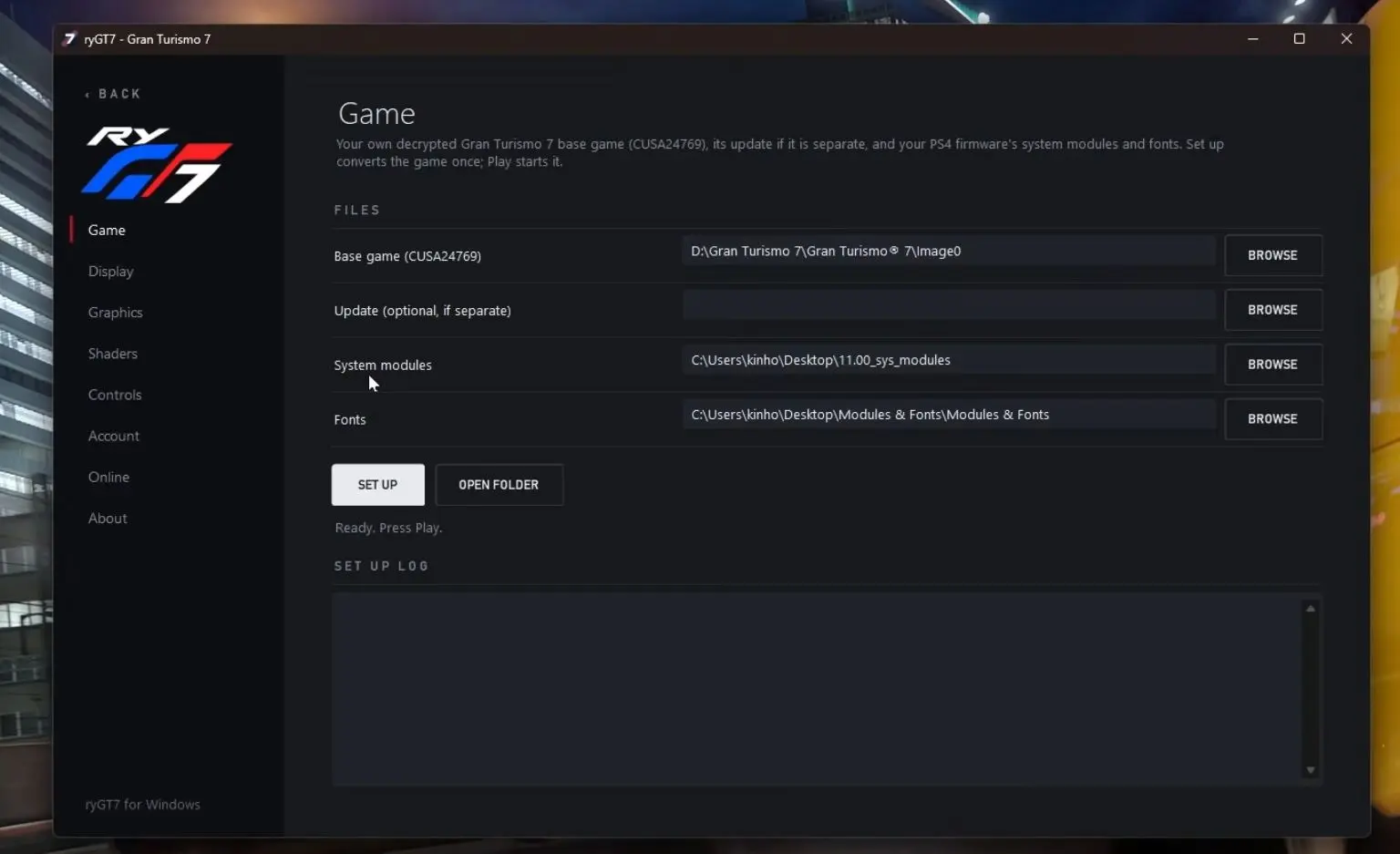
- Open the program. Double-click RyGT7.exe and go to the Game tab in the left menu. When opened, the program checks if there is a new version on GitLab.
- Choose the base game. In the row Base game (CUSA24769), press BROWSE and select the folder where eboot.bin, sce_sys, sce_module and contents are located.
- Choose the update. In the row Update (optional, if separate), leave the field empty if your update is integrated with the base game. If it is in another folder, press BROWSE and select it.
- Choose the firmware and the fonts. In the row System modules, press BROWSE and select the folder with the PS4 system modules. Then do the same in the row Fonts with the fonts folder.
- Prepare the game. Press Set up and wait for it to finish, because the program first works in a temporary folder, and if something fails it does not touch your previous installation or modify your game’s original files.
- Play. Press Play and choose Online if you want to play with friends or Offline to play alone.
Common errors
- The game freezes on a gray/black screen when buying a used car. It is a known bug, so buy your cars in Brand Central.
- Stutters at the start of each race. During the first 30 seconds the game prepares its graphics, and after that the race should run more smoothly.
- The game stops launching after moving folders. The port links your files instead of copying them, so do not move or delete the game folder after preparing it.
- The launcher can’t link the files. Move the game to the same drive as the port or enable Developer Mode in Windows settings.
- Your friends on a different network can’t join your room. To host, you must open in your router ports 7890 TCP and UDP, 31313 TCP, 31315 TCP and 3658 TCP and UDP.
¿Está en español?
The port uses the texts from your own copy of the game, so Gran Turismo 7 should appear in the same language as it had on your console, but the launcher is in English.
Regarding performance, the normal mode runs at 30 FPS. The experimental mode targets 60 FPS, but according to GameGPU it dips between 35 and 48 FPS on the most demanding curves and tracks, while the project page claims races run between 42 and 60 FPS. It also includes DLSS and FSR, plus Frame Generation, which reaches 2x on RTX 40-series cards and up to 6x on RTX 50-series, though this feature only smooths what you see on screen and does not make the game respond faster. On the other hand, it supports ultrawide displays in 21:9 and 32:9, adjusts the menus, and makes wheels from popular brands such as Logitech, Thrustmaster, Moza or Simagic compatible, which the game recognizes as if they were Fanatec models with force feedback.
In online play, the project replaces Sony’s official servers to allow multiplayer races in private rooms with invitation codes. The creators added text chat, waiting rooms and a local safe-driving scoring system, though the Sport mode, global competitions and the rest of the original game’s online content remain inaccessible.
It is important to note that the game still presents visual issues, such as shadow flickering and blurry edges on moving objects, and in online races other players’ cars can experience jumping. Furthermore, anyone trying it should consider the security risks of downloading unverified programs and the legality of using the game’s files, so for now ryGT7 remains a test project that does not replace the console version.
Gran Turismo 7 Achieves Stable Performance via Emulators
Continuing with news about this title on PC, we recently reported that Gran Turismo 7 reaches stable 30 FPS in 4K with a free PS5 emulator, just three days after its first test. That progress was made possible thanks to a modified version of KytyPS5 created by user usa-ratt. In early tests the game barely managed between 17 and 25 FPS, but with recent updates the progress has been notably rapid.
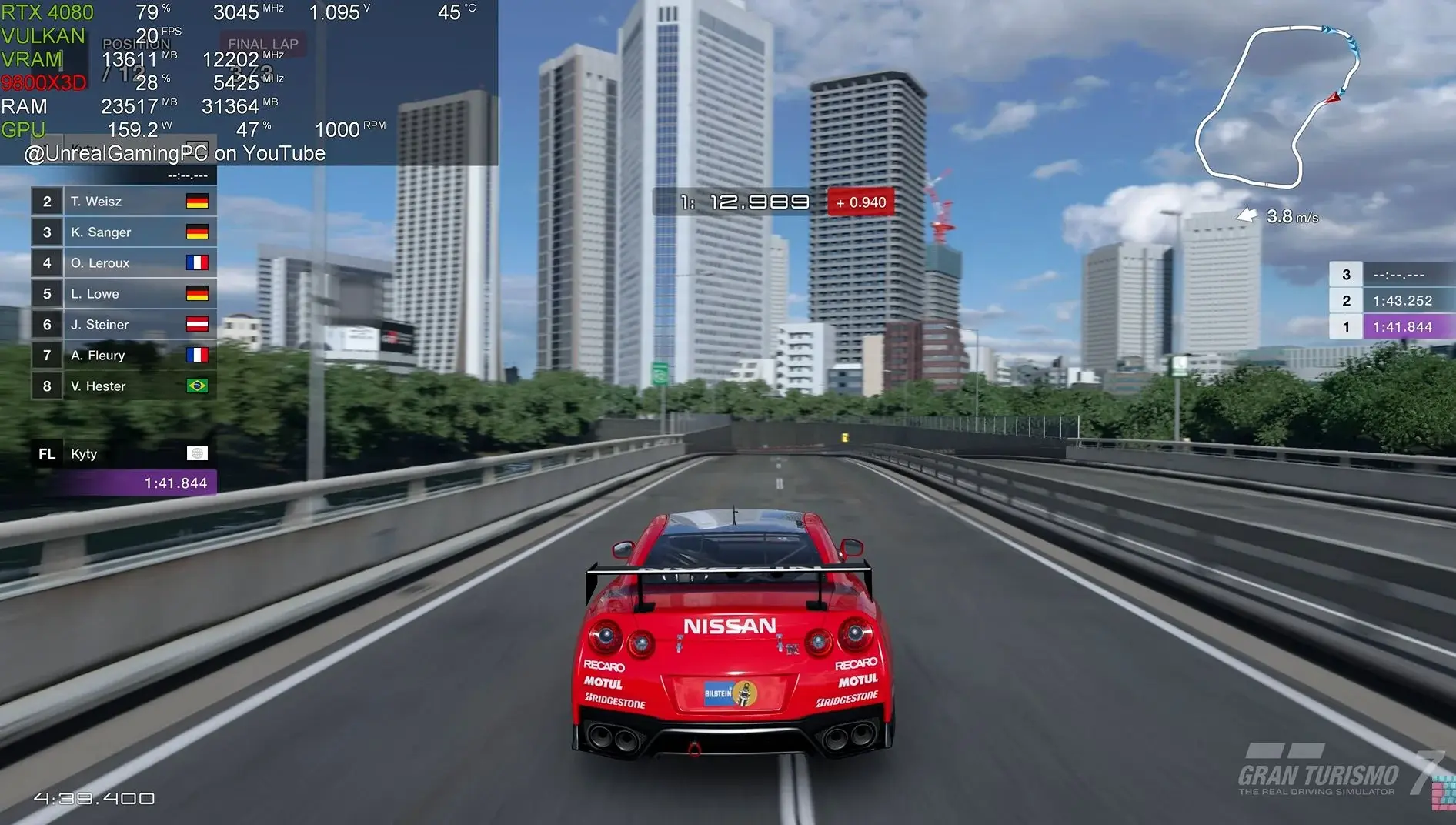
To achieve that graphical stability at maximum resolution, a top-of-the-line setup was required, featuring an NVIDIA GeForce RTX 5090 GPU and a high-end AMD Ryzen processor. In tests on demanding circuits like Suzuka, the game maintained fluidity consistently, and the haptic feedback vibration of the controls was also activated during driving, a detail that just a week ago seemed impossible.
To conclude, and as we mentioned in the linked article, the developers publish improvements almost daily to fix the most critical issues in the program. In recent days they eliminated black screens and freezes when loading tracks, fixed errors that closed the game on AMD and Intel GPUs, and optimized memory usage. Therefore, the emulator now configures itself automatically, and you do not have to manually tweak complex options to start playing.