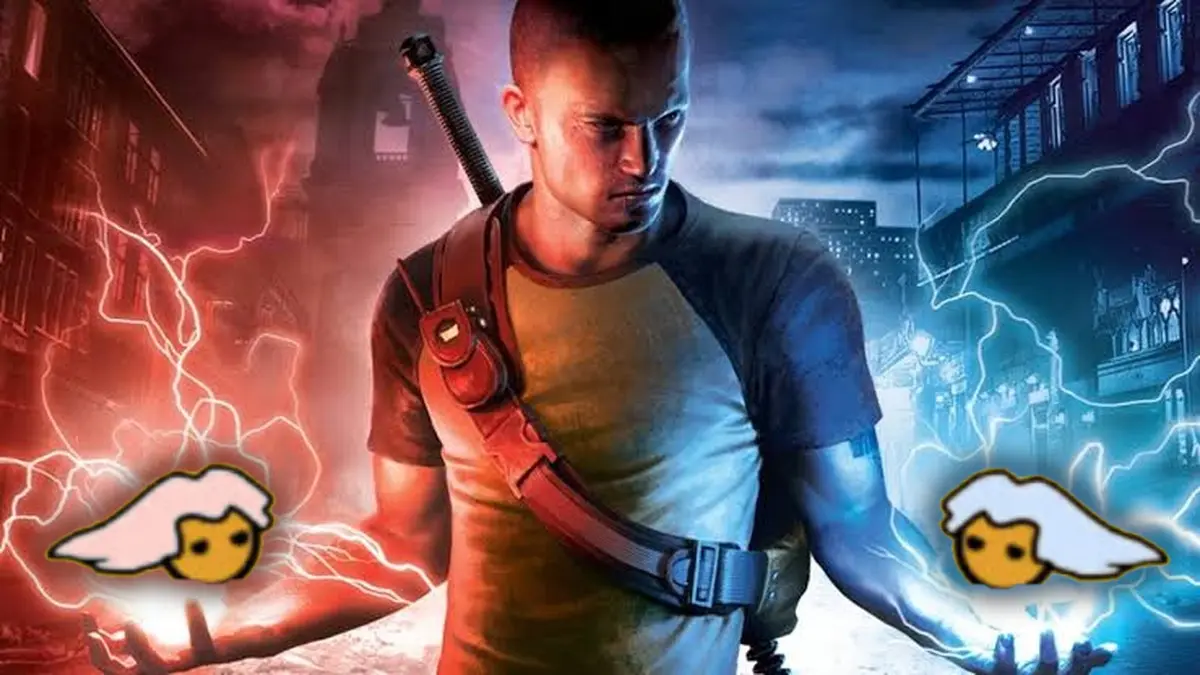
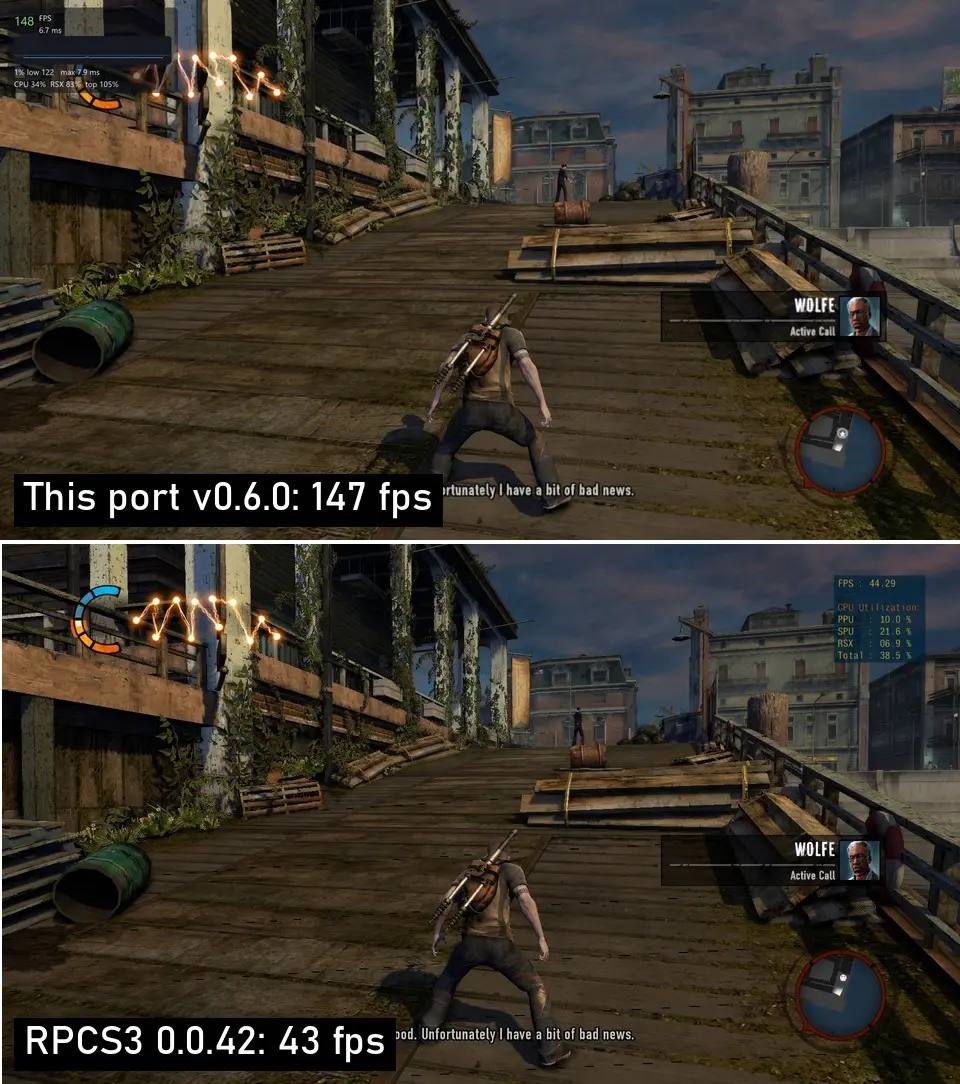
The PC port of inFAMOUS 2, Sucker Punch’s game that launched in 2011 as a PS3 exclusive, can be downloaded for free and played on Windows and Linux without an emulator, delivering sharper shadows, HD fire and smoke, and up to 4K resolution, whereas the original console ran at 720p. The project is the work of programmer Sami Enazi, who released the first version on November 9 and yesterday published version 0.6.2, which installs the game with a single file and on his test PC reaches 147 FPS, compared to 43 FPS in the RPCS3 emulator at the same city point, according to the project page on GitHub.
Unlike an emulator, the port takes the code from your own PS3 copy and converts it into a PC program that runs directly on your processor, which is why the game performs much better even on machines with few cores. That said, the download does not include the game, so you’ll need your own disc or the PSN digital version, and the project remains in beta, so its creator asks for bug reports, although testers say it stays around 60 FPS most of the time with very few stutters.
What the PC port of inFAMOUS 2 brings
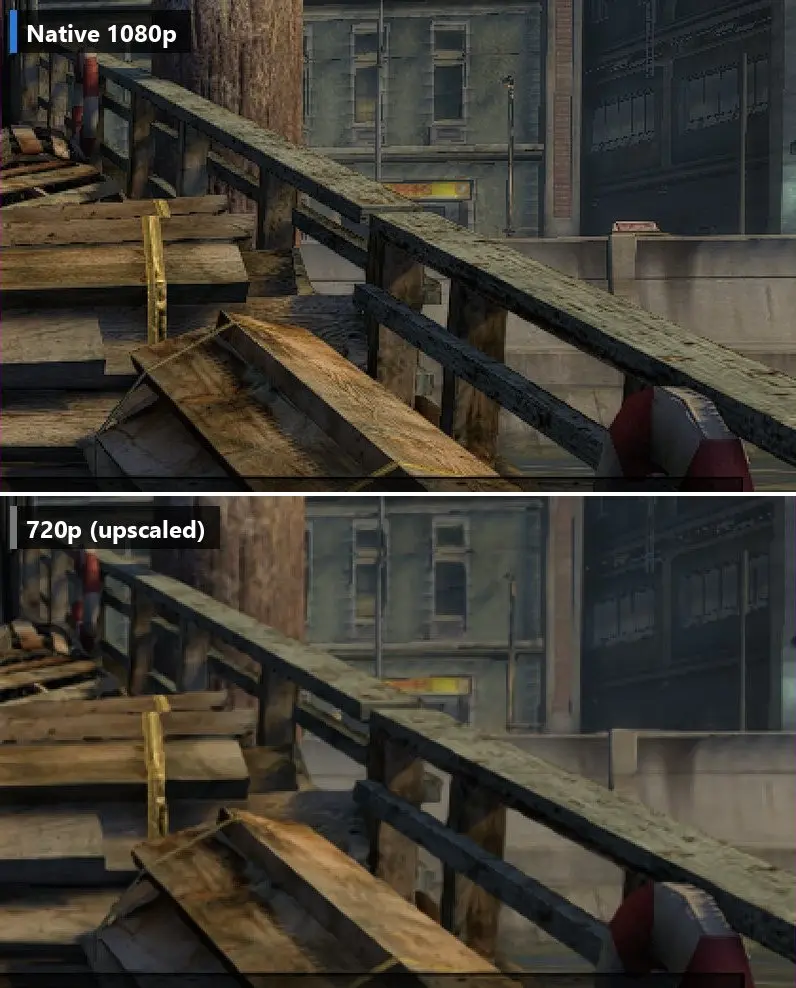
The most noticeable improvement is in the visuals. The game can run at internal resolutions of 720p, 1080p, 1440p, or 4K, with edge smoothing options SMAA, FXAA, or MSAA and FSR 1 upscaling. The sun shadows are rendered at twice the PS3 resolution, with an option to quadruple it, and fire, smoke, and effects are shown at full resolution instead of the console’s 512×288 pixels. Added to that are improved lighting that adds depth to shadows in corners and crevices, support for ultrawide displays that show more to the sides without stretching the image, and community-made HD texture packs.
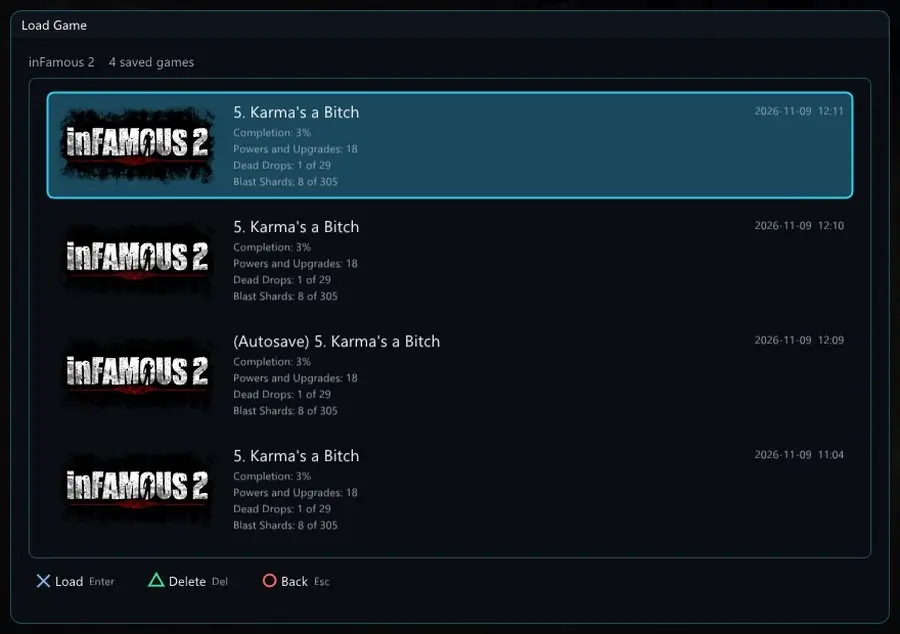
In terms of controls, it works with any controller, such as Xbox, DualShock 4, DualSense, or Switch Pro, and the button icons adapt depending on which you use, while with keyboard and mouse the camera moves like a PC game, with separate sensitivity for aiming. It also includes the 52 trophies from the game, a cheats menu with invincibility, infinite energy, or all powers unlocked, support for community mods, and a match manager that shows the image, the mission, and the progress percentage for each save.
If you’re wondering about languages, the port lets you separately choose the voice and text among those included with your copy, and the European disc version includes Spanish, along with English, French, German, Italian, Dutch, Portuguese, Polish, and Russian.
How much it improves over PS3 and RPCS3
Its creator measured performance on a PC with an Intel Core i5-13600K, an RTX 2070 Super, and 32 GB of RAM, running the game at 720p, the same resolution as the PS3. At the city dock, the port reached 147 FPS versus 43 FPS in RPCS3, meaning 3.4 times faster, and in lighter views of the same area the difference climbs to 251 versus 51 FPS. The gap grows on computers with fewer cores, because when the processor was limited to 4 cores and 4 threads the port stayed at 110 FPS, while RPCS3 dropped to barely 6 FPS.
Story scenes and videos still run at 30 FPS, the same as on PS3, and on AMD GPUs the port currently uses a more conservative mode, because its latest graphical optimizations have not yet been tested on that hardware, even though they still leverage improvements on the CPU side. If you want to see the difference for yourself, the menu opened with F2 includes a line you can drag across the screen to compare the PS3 image with yours, and if you hold down the F3 key, the game reverts entirely to how it looked on the console.
What you need to play it on your PC
The port requires 64-bit Windows 10 or 11 or Linux, a processor with AVX2 support (which Intel has had since the 4th generation and all AMD Ryzen CPUs), a Vulkan-capable GPU, 16 GB of RAM, and about 16 GB free on a local disk (not on a network drive). You also need internet access during installation because the program downloads around 85 MB from GitHub and 433 MB from PlayStation servers, which correspond to game update 1.04 and the PS3 system software—the same files the console downloads.
The most important requirement is to have your own copy of inFAMOUS 2, because the port doesn’t bring any game files. Players confirmed it works with the European, Turkish, and US discs, and with the PSN digital version 01.03, which you can use as the game folder, as an ISO image, or as a .pkg package. If your disc image is encrypted or you have the PSN version, you’ll also need the license file for your own copy, which the port does not include.
How to download and install the inFAMOUS 2 port step by step
- Go to the latest version page on GitHub and, in the Assets section, download the Setup.exe file. Do not download files labeled Source code or Infamous2-engine-win-x64.zip, as that one is downloaded by the installer itself.
- Create a new folder on your PC drive, for example a folder named inFAMOUS2 inside a Games directory on drive C, and move the Setup.exe there.
- Double-click Setup.exe. Since the file isn’t digitally signed (signing it costs money), Windows may show a blue warning. Click More information and then Run anyway.
- In the installer window, select your game by clicking the button or by dragging it onto the window. It can be the game folder (the one containing the PS3_GAME directory), an .iso image, or a .pkg package. Before downloading anything, the installer will tell you which game version it found.
- Press Install and wait. You’ll see a progress bar that explains each step and how many minutes remain. On the test PC, full installation took between 12 and 15 minutes.
- When finished, press Play. On subsequent runs you can open the game with the desktop shortcut or with the Play inFAMOUS 2.cmd file located in the folder.
If you play with keyboard and mouse, you move with WASD, aim with the right mouse button, and shoot with the left, while the spacebar, Shift, F, and Q replace the X, Circle, Square, and Triangle buttons. With F1 you see the FPS, with F7 you return to your save point, and with Alt + Enter you switch to fullscreen, and if you prefer launching it from Steam, you can add the external game Infamous2Recomp.exe, which is inside the work, port, and build folders, with Steam Input and overlay enabled. To uninstall, you simply delete the port folder and the shortcut, because it does not install anything into Windows, though it’s advisable to back up your saves first.
How to configure the graphics and what version 0.6.2 brings
During gameplay, pressing F2 or holding L3 and R3 on the controller opens an overlay over the session, with pages for Display, Graphics, Audio, Controls, Lighting, Effects, Mods, Cheats, and Updates, and each option explains in one line what it does and how demanding it is on your PC. In Graphics there are two quick presets, Standard and Low-end PC, the latter aimed at less powerful systems, and from there you can raise the internal resolution, enable edge smoothing, or enable upscaling.
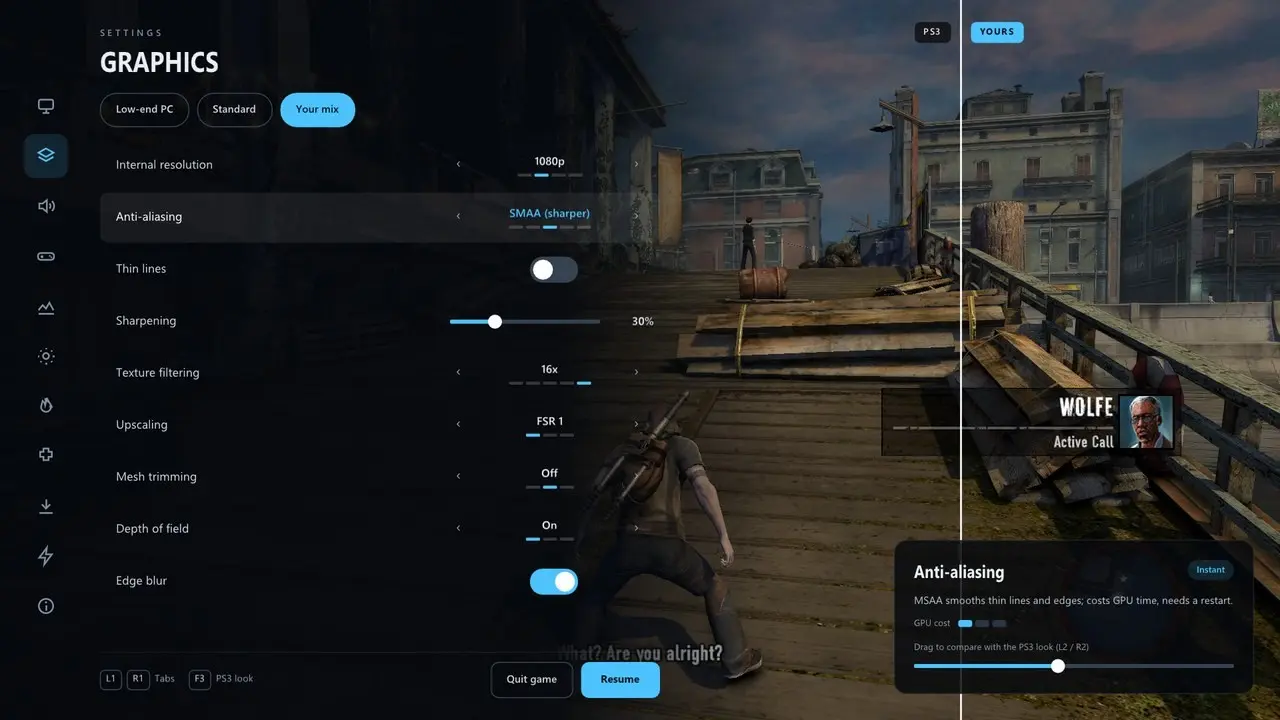
The version released yesterday is a stability update. On Windows, the game no longer requires the Visual C++ package, which previously prevented launching with the MSVCP140.dll error on PCs that didn’t have it. On Linux, the window opens on Wayland systems and the installer warns if something is missing instead of leaving the screen black, and with a mouse, fast camera turns are now 1-to-1, with the camera no longer continuing to spin after you stop moving. To update, open the F2 menu and go to Update or re-run Setup.exe in the same folder, and your saves, settings, mods, and controls are preserved, with a backup of saves before each update.
On Linux the port runs without Wine or Proton. Just download the file inFAMOUS2-port-v0.6.2-Linux-x64.zip, unzip it, and run setup.sh, and today its author updated that file so it can be installed on a Steam Deck in desktop mode without any prior installation, though he hasn’t yet confirmed compatibility with the console’s factory system. What can be seen is the YouTuber MaliceSpeedwagon playing it on a Steam Deck with CachyOS, a Linux distribution some players install on the console instead of SteamOS.
If you like these projects, you can also download the free PC port of Star Wars Rogue Leader and check the Steam page for PC ports, which brings together over 1,150 games. Note that on GitHub there are several versions of this port uploaded by other accounts, some of which look suspicious, so download the port only from Sami Enazi’s official page.
