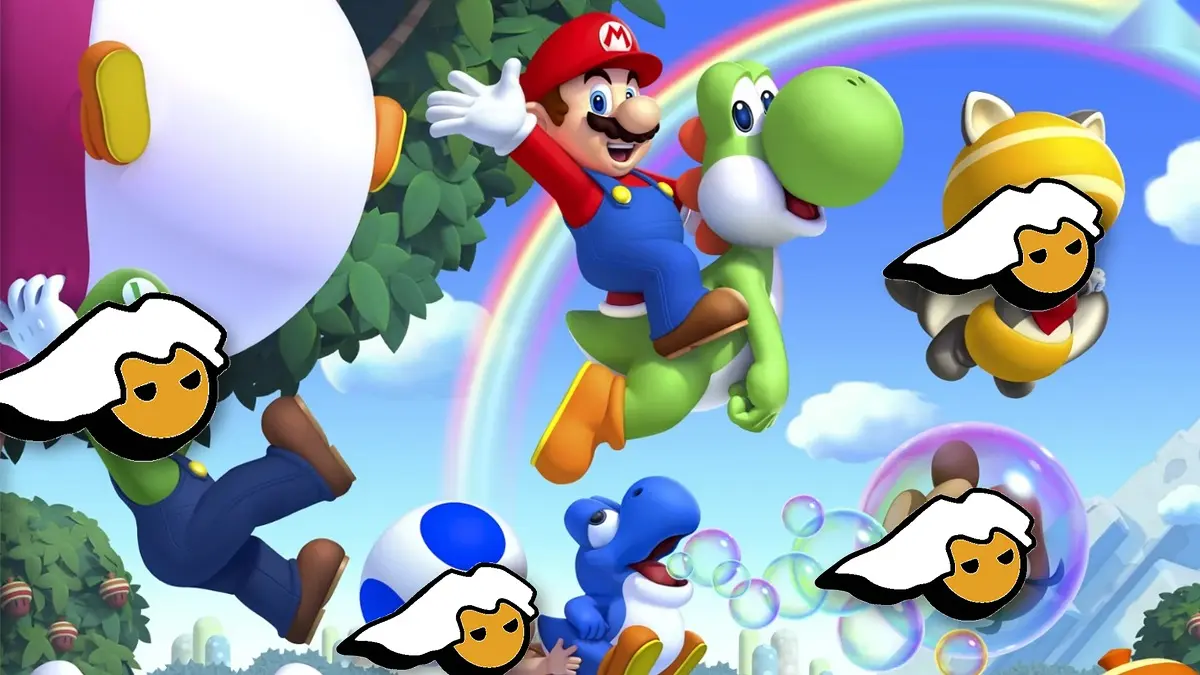
New Super Mario Bros. U, one of the Wii U launch titles in 2012, can be played on PC via a free port that runs without an emulator, and its latest release, published on October 24, adds the feature fans had been craving most: local multiplayer for up to four players with separate controllers, just like on Nintendo’s console.
The project is called NSMBU Recomp and is published on GitHub, where its creators explain that they recompile the game’s code to turn it into its own standalone program for Windows, Mac, and Linux, and although the game had a Deluxe version on Switch in 2019, it never officially reached computers, so this is the chance to play it with PC-focused improvements.
What the PC port for New Super Mario Bros. U brings
The big draw of version 0.6 is that up to four controllers work as separate players, each with its own button configuration or with a single layout for everyone, while the first player can use the keyboard and the first controller at the same time, ideal for playing with family or friends on the same computer.
Regarding fluidity, the port allows increasing FPS up to 144 in experimental mode, drawing intermediate frames so characters move more smoothly, although the game’s logic remains at 60 steps per second, so the speed of the match does not change.
Additionally, it includes save states to save at any time with Shift and the keys F1 to F5 and load with F1 to F5, support for Cemu mods and for its own mods, remappable controls and the option to choose whether sound outputs as on the TV or as on the GamePad, while with the packs that bring New Super Mario Bros. U together with New Super Luigi U you can also play Luigi’s adventure.
How to download and install New Super Mario Bros. U on PC step by step
Before you start, it’s important to know that the port does not include the game, so you need your own copy of the US or European version (the Japanese version still doesn’t work), in one of these three formats: a disc image .wux or .wud with its keys, a .wua file from Cemu, which doesn’t require keys, or an extracted folder with the subfolders code, content, and meta.
- Go to the project’s download page on GitHub, scroll down to the Assets section and download the .zip file for Windows (there are also versions for Mac and Linux).
- Create a new folder on your computer, for example C:JuegosNSMBU, and unzip the file there by right-clicking on the .zip and choosing Extract All.
- Open the folder and double-click on NSMBU.exe, and if Windows shows the warning “Windows protected your PC”, click More information and then Run anyway, since the program is not digitally signed.
- The first time the installer opens, you must choose your copy of the game in a window to search for files, and if easier, you can also drag the file into the window and press Enter.
- If you chose a disc image .wux or .wud, in the Keys screen type or paste the disc key and the common Wii U key, which have 32 characters each (if you use a .wua file from Cemu or an extracted folder, skip this step).
- Wait for the installer to set up the game on your computer, which takes a few minutes, and when it offers to prepare the shaders, accept to prevent stuttering during play (you can skip it, but the game will stutter a bit the first time you see each effect).
- When it finishes, the game starts, and from then on every time you open NSMBU.exe it will go straight into the game, while pressing F12 opens the settings menu to change controls, audio, and FPS.
- To play with others, connect the controllers before launching the game, and each extra controller adds a new player.
Default keyboard controls are as follows.
- W, A, S, D to move and the arrow keys for the camera
- K or Space to jump and Left Shift or L to run or pick up objects
- Left Ctrl for the spin jump
- Enter to pause and Tab for the inventory
- Q and E for the map view and zoom
What is still missing in the port
As it is a work in progress, FPS beyond 60 remains experimental, while mods only work with game update 1.3.0, although the base US and European discs can be played without it, and the team continues to fix bugs with each version, such as the level-change crashes that 0.6.1 fixed.
Thus, New Super Mario Bros. U joins the list of Wii U games that can be played on PC without an emulator, alongside titles like Zelda Wind Waker HD, and thanks to its local multiplayer, it becomes one of the most entertaining options for group play in front of the computer.