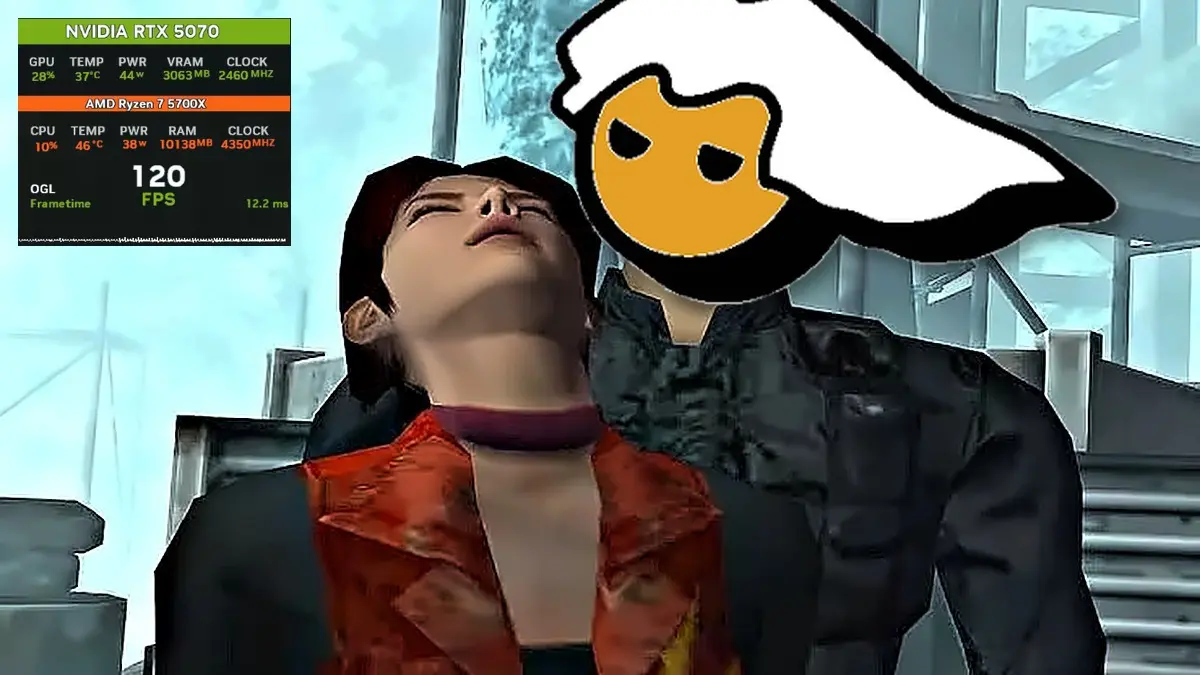
Resident Evil Code Veronica, one of Capcom’s most cherished installments, has a PC port that adds features the game never had, including a two-player online cooperative mode, a shoulder-over-the-shoulder third-person camera, and graphics that exceed 4K, available for free download from GitHub. The project is named recvx-enhanced-port, based on the PS2 version Code Veronica X, and its latest release, 0.6.5, arrived on October 21.
The port is built on a community-made decompilation of the game, meaning the game’s code has been reconstructed and compiled into native Windows and Linux binaries, while some PS2 hardware aspects, such as audio or memory card functionality, are still emulated underneath. It comes at a timely moment for fans because Capcom announced a remake of Code Veronica for 2027, and according to the project itself on GitHub, most of the code was written with the help of artificial intelligence, using Claude and Codex, and then manually tested by its maintainer.
What the PC port of Resident Evil Code Veronica offers
Visually, the port allows the internal resolution to be raised up to eight times the original, which practically pushes beyond 4K and supports widescreen and ultrawide displays. It also adds intermediate frames to smooth motion on high-refresh monitors, though the game still runs at its original 30 FPS, and it accepts HD texture packs created by the community for the PCSX2 emulator.
In terms of controls, the big novelty is the shoulder-mounted third-person camera, with mouse and keyboard and free aim, as seen in the saga’s modern remakes. If you prefer the original fixed cameras, the port includes modern controls, where the character moves in the direction you point with the stick, similar to the HD remasters of Resident Evil, and all keys and buttons can be customized.
Online cooperative and more extras
The online cooperative lets two players progress in the same game, each with their own inventory, and it adds rooms, join codes, item trading, and the option to share or split what they find. Local cooperative play on a single PC is also possible, though to play online each player needs their own copy of the game and the same port version.
Additionally, the port allows you to play as other characters and creatures, add more enemies or mix them with a random mode, save games without limits and without ink ribbons if you prefer, and it unlocks from the start the Battle Game mode. That said, it remains a work in progress and all its builds are tagged as experimental, so bugs can appear.
Requirements and how to install the Resident Evil Code Veronica port
To play, you’ll need Windows 10 or newer, or Linux, a graphics card that supports OpenGL 3.3, and your own PS2 copy of Resident Evil Code Veronica X, the US version known as SLUS-20184, in .iso format, because the port does not include any game files and other regions don’t work. Once you have everything, here are the steps to install it.
- Go to the releases page on GitHub and download the file ending in windows-x86.zip, which is the Windows version.
- Extract the file into its own folder, for example in Documents, because your saves, settings, and mods will be stored there.
- Open the recvx.exe file, and alongside the game a black text window will appear; that’s normal and simply shows what the program is doing.
- The first run will open a window to locate your game, so pick your .iso file, and the port will remember it for future launches, so you won’t need to locate it again.
- To change the image and controls, go to OPTION in the game’s menu and then ENHANCED SETTINGS, or press F1 at any time.
- On the page DISPLAY, adjust Internal resolution between 1x and 8x depending on your computer’s power, and in-game press F5 to toggle the shoulder-over-the-shoulder camera.
How to add HD textures and play cooperatively
If you want the game with high-definition textures, such as those shown in the video, follow these steps.
- Download an HD texture pack made for PCSX2, in the US version of the game, because the port doesn’t include any textures.
- Inside the port folder, next to recvx.exe, create a folder named mods, and inside it another named textures.
- Copy the texture pack into modstextures exactly as it comes, without changing anything.
- Launch the game, and if the textures don’t appear, check that the HD textures option is enabled on the DISPLAY page.
To play online cooperative, one of the players creates the match and the other joins, using these steps.
- From the game’s main menu, choose MULTIPLAYER, which appears below OPTION.
- The player who creates the match selects HOST A GAME, then OPEN THE LOBBY, and shares the address with their friend using COPY JOIN ADDRESS.
- The other player selects JOIN A GAME, pastes that address into ADDRESS and presses JOIN.
- Once both are in the lobby, the creator of the match presses START THE GAME and you’re ready to play.
If your friend can’t connect, the most likely cause is that your router is blocking the connection, because the game uses port 7140; in that case it’s helpful to consult the project’s coop guide, which explains how to open it.