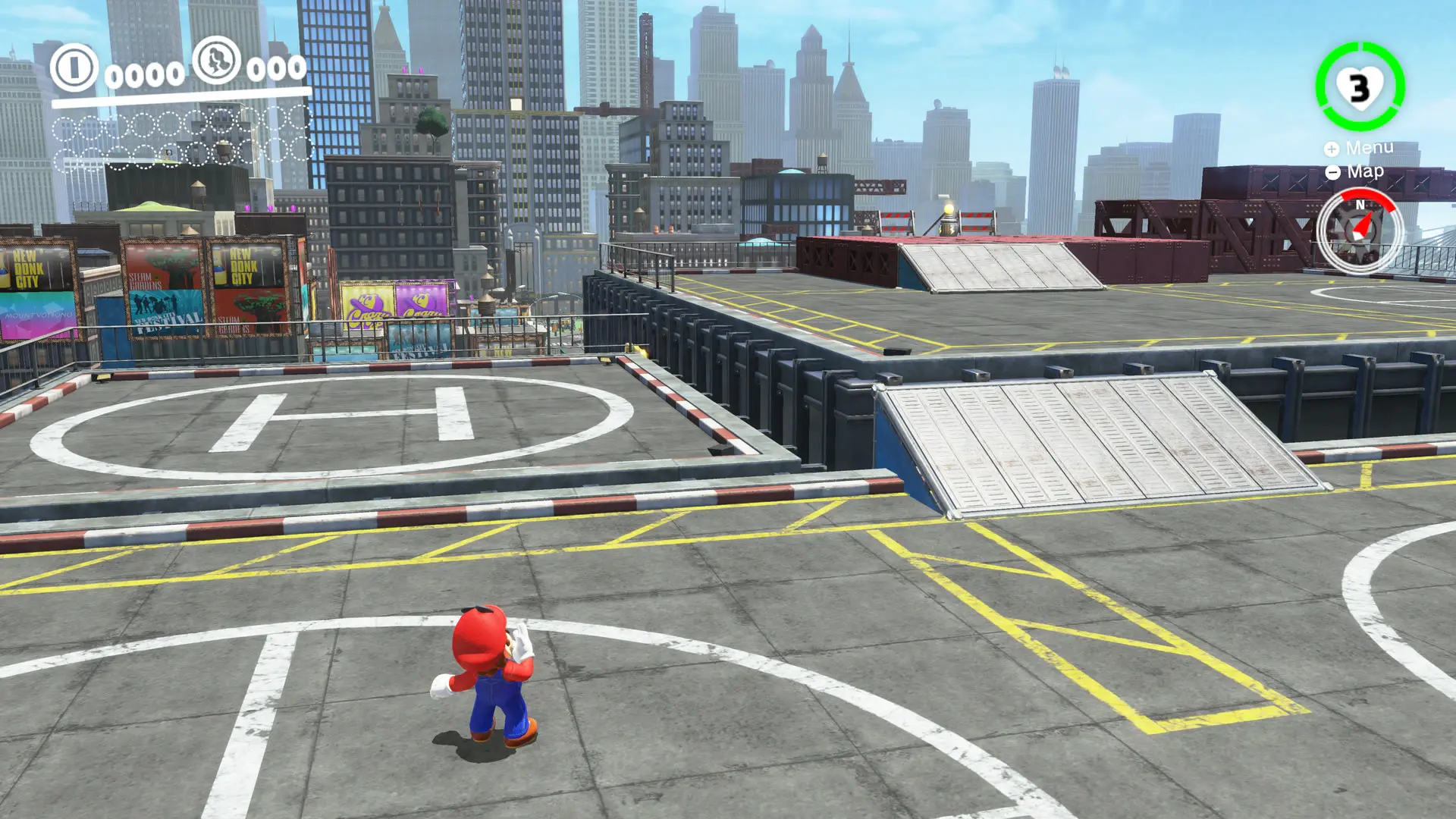
Super Mario Odyssey, one of the best-selling Nintendo Switch games and one of Mario’s most acclaimed adventures, can be played on PC thanks to Power Moon Recomp, a PC port of Super Mario Odyssey that runs without an emulator and which, according to its creator, can be completed from start to finish without issues, with all kingdoms, bosses, the 8-bit 2D sections, the ending and post-game content, at 60 FPS, with an internal resolution up to four times the original and support for mods that change outfits, music, and levels.
The project joins the wave of ports that translate Switch game code to run as ordinary PC programs—the same wave that brought Zelda Tears of the Kingdom to PC without an emulator—and in this case converts the game’s code to C before playing and replaces the console’s system with its own version that draws graphics with Vulkan on Windows and Linux and with Metal on Mac, in a project that, according to the author, was made with a lot of help from Claude, Anthropic’s programming agent, under his direction and with his own testing.
What the PC Port of Super Mario Odyssey Brings
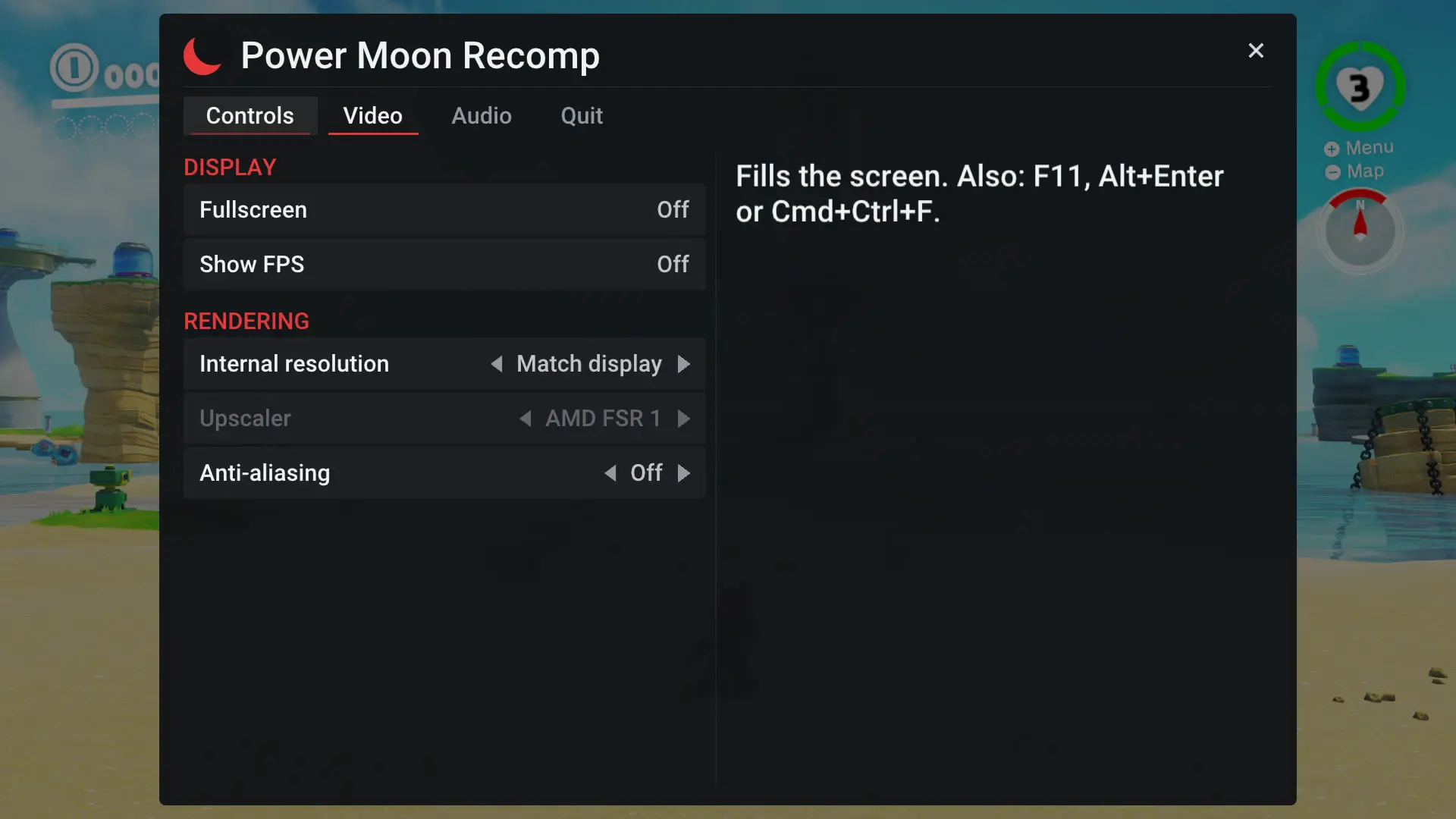
In the graphics department, the PC port of Super Mario Odyssey lets you play at your monitor’s native resolution, with a minimum of 1600 x 900, or raise the internal resolution from 1x to 4x, so on a 1080p screen you can simply choose 2x to achieve a 4K image, and for more modest computers it also allows lowering the render scale between 25% and 75% with AMD FSR 1 to regain smoothness, in addition to adding an anti-aliasing option to soften edges and a frame rate counter on screen.
The game runs at a fixed 60 FPS, the same as on Switch, because its logic is tied to the frame rate and increasing it would make everything go faster, although the author plans to add frame interpolation for those who want more FPS.
Mods are another major novelty, because they work by replacing or adding files to the game, such as outfits, models, textures, music, texts, and levels—the same ones created for Switch emulators—although code mods, like Super Mario Odyssey Online, cannot be used because the game is recompiled from the original on your computer.
On controls, the port supports keyboard and mouse with configurable keys and right-stick camera control, while the menu can be opened with F1, Esc, or the Home button on the controller to adjust video, audio, controls, and language, and full screen can be toggled with F11 or Alt+Enter.
Is It in Spanish?
The port’s menu includes a language option, and since the game pulls its texts from your own copy of Super Mario Odyssey—which on Switch includes Spanish—you can play it in our language, although the project does not detail which languages its own settings menu is translated into.
How to Install the PC Port of Super Mario Odyssey
The port does not come with any game files, so the first time you open it it will ask for your copy; make sure it’s the correct version, copy with the program what the game needs, around 6 GB, and recompile the game on your computer in a few minutes and just once, so that from then on it launches directly every time you start it.
What you need before you begin
- 64-bit Windows 10 or 11 or 64-bit Linux, such as Ubuntu 22.04, Debian 12, Fedora, Arch or SteamOS, and on Mac, macOS 15 or newer with an Apple Silicon chip, though that version is experimental.
- A processor with AVX2, i.e., Intel Haswell or AMD Zen or newer.
- A graphics card compatible with Vulkan 1.3 and up-to-date drivers.
- 8 GB of RAM, though 16 GB is recommended, and about 7 GB free on disk.
- Your own copy of Super Mario Odyssey 1.0.0, without updates, with the exefs and romfs folders extracted from your console.
Windows installation steps
- Download the port. Go to the project’s page on GitLab, open the releases section, and download the file Power Moon Recomp-0.1.0-windows.zip.
- Unzip it to a writeable folder. Ideally Documents or Desktop, never inside Program Files, because that’s where your saves, configuration, and shader cache are stored.
- Open the program. Double-click PowerMoonRecomp.exe, and if Windows shows the SmartScreen warning, click More info and then Run anyway.
- Choose your files. Select the folder containing your Super Mario Odyssey 1.0.0 copy, the one with exefs and romfs, and wait a few minutes while the program checks the version, copies the files, and recompiles the game.
- Play. When finished, the game starts on its own, and from that moment you just need to open PowerMoonRecomp.exe to play.
- Adjust the graphics. Press F1 or Esc, go to the video section, and change the internal resolution with the arrows, choosing 2x if you are playing in 1080p to see it in 4K, or lowering the scale with FSR 1 if your computer is more modest.
On Linux, download the file Power Moon Recomp-0.1.0-linux-x86_64.AppImage, give it execution permissions with the command chmod +x and run it, while on Mac you must drag the application from the .dmg file to Applications and, since it isn’t signed, run once the command xattr -dr com.apple.quarantine “/Applications/Power Moon Recomp.app” in Terminal.
Keyboard controls
| Console | Keyboard |
|---|---|
| Left stick | WASD |
| Right stick (camera) | Num 8, 4, 5 and 6 |
| A, B, X and Y | K, J, L and I |
| L and R | Q and E |
| ZL and ZR | 1 and 3 |
| + and – | Enter and Backspace |
| Stick click | F and Num 0 |
| D-pad | Arrow keys |
How to install mods
- Open the mods folder. It’s inside the port’s folder, and you can also open it directly from the Mods tab in the menu with F1.
- Put each mod in its own folder. Copy the mod as-is, with its romfs folder inside, for example modsNew Outfitromfs, and the Atmosphere format also works.
- Enable them in the menu. Open the Mods tab with F1, enable or disable each one, and restart the game for changes to take effect. Note that if two mods change the same file, the one higher in the list wins, following the folders’ alphabetical order.
Common issues
- Brief stuttering the first time you enter a new area. It’s normal, because your GPU driver compiles the shaders, and a new zone may take one or two seconds to appear or a new effect may freeze the image for a moment, though the game and sound continue to run, and the second visit loads in a fraction of a second.
- Your antivirus flags odysseygen.exe. It’s a common false alarm, since it’s the code generator for the game, so if the installer says something is missing, restore it from quarantine or unzip the zip again.
- The port won’t accept your files. Check that your copy is version 1.0.0 without updates, because that is the only compatible one.
- A mod appears greyed out. This means it is a code mod, like IPS patches or Super Mario Odyssey Online, which can’t be used yet, and mods made for later game versions could also fail.
- Graphics issues on Mac. It’s a test build and some renderizer fixes currently only work with Vulkan, so if possible, play on Windows or Linux.
It’s worth noting that Nintendo tends to move quickly against such projects, and indeed the GitHub repository that existed is no longer publicly available, so it wouldn’t be surprising if the download becomes unavailable at some point.