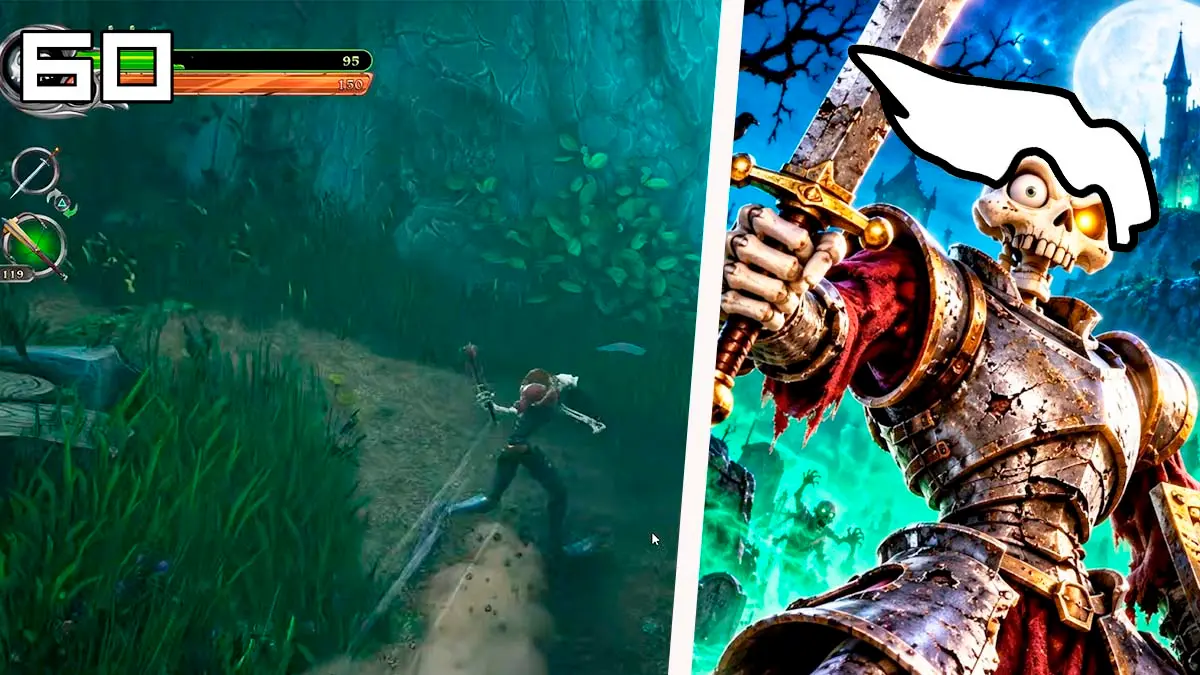
The well-known action-adventure game MediEvil, which made a big comeback with its fully revamped PlayStation 4 version, has finally received an unofficial PC port developed by fans, allowing PC players to enjoy the MediEvil remake from start to finish, without missing a single detail of the original work and without emulation.
Something that PlayStation never officially offered, and this version lets you play this PS4 title on PC with improved performance reaching up to 4K resolutions and over 60 frames per second, in addition to a secure save system with backups, support for various controllers and keyboard, graphical settings that enhance shadows and reflections, and all the console game’s languages.
The importance of MediEvil on PS4 and its arrival on the PC platform
For those not in the loop, the PS4 MediEvil is a ground-up recreation of the beloved 1998 PS1 classic, developed by Other Ocean and released in 2019, reviving the zany adventures of the skeletal knight Sir Daniel Fortesque in the fantasy realm of Gallowmere.
When it released, the community received it with great affection, as it preserved the classic gameplay, the gothic atmosphere with black humor, and its emblematic soundtrack, while completely reworking the visuals with modern high-definition graphics and controls adapted to today’s era.
That this game reaches PC through a community project is highly significant for video game preservation. The port works in full, from the opening videos and menus to the sound effects, the music, and the save/load system.
What’s interesting is how it works, since the game’s code runs directly on your PC’s CPU, with no emulator, while the graphical part uses the video core of the shadPS4 emulator, which translates PS4 GPU commands to Vulkan. The project was built starting from the unofficial port of God of War III, and it supports Intel and AMD processors, with inputs like the PS5 DualSense, Xbox, and others, in addition to keyboard, with fully configurable buttons.
Technically, the game is configured to run at 60 frames per second by default. For those with powerful rigs, it’s possible to raise the cap to 120 or 240 from the launcher or the in-game menu, though this option is experimental, may cause stuttering and requires a fairly fast processor.
In the creator’s tests with an RTX 5080, the game achieves between 90 and 120 frames per second in the levels. You can render the image at 4K to look sharper even on a 1080p monitor, or use native output at 1440p, 1800p or 4K. For less powerful PCs, a temporal upscaling and FSR 1 were included, along with a graphics preset designed for integrated graphics.
There are also five visual quality levels to choose from, Low, Medium, Console, High and Ultra, which improve distant detail, shadows and reflections, and the port fixes the shadow flicker when you move to keep the experience smooth in the heavier areas.
As if that weren’t enough, the port enables the hidden cheat menu that the developers left in the game, allowing you to unlock all levels and weapons, become invincible or fly, in addition to an Infinity Ammo option.
Since PlayStation never released this remake on PC, the port prevents a beloved work from being confined to a single console, allowing thousands of players to enjoy it with performance improvements and to modify it with community content.
Step-by-step instructions to download and install the game
To make the experience user-friendly, the launcher features a design inspired by the MediEvil universe itself, with Gallowmere’s colors and the game’s typography drawn from your own copy. From there you can manage all aspects in one place—the screen, performance, controls, cheats, and mods.
Additionally, the application automatically backs up your saves before launching the game, and when a new port version is available it notifies you and offers to download and install it. To play you need your own copy of the MediEvil PS4 remake, from the US or Europe, since the port does not include any game files.
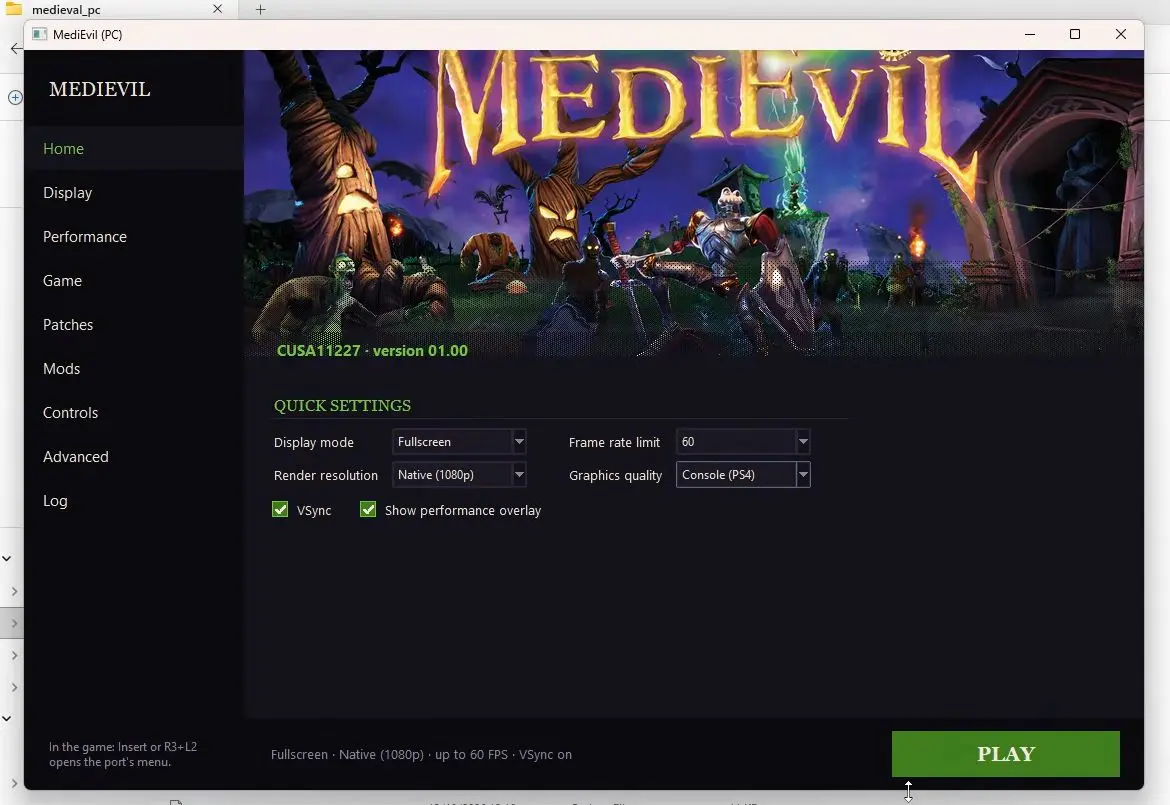
Download medievil-windows.zip from the project’s GitHub releases page and extract everything into a normal folder on your drive, without running the files from inside the ZIP.
- Download medievil-windows.zip from the project’s GitHub releases page and extract everything into a normal folder on your drive, without running the files from inside the ZIP.
- Open MediEvil.exe. If Windows shows a warning because the file is not signed, click “More information” and then “Run anyway”.
- In the Game tab, press Choose .pkg to install the game from your package, or Browse to choose the folder where the eboot.bin file from your copy is located.
- In the Home tab, choose the resolution under Render resolution.
- Press PLAY to start the game.
- Inside the game, press Insert to open the image and performance menu, or R3 to open the cheats menu if you activated it in the launcher.
So, to close, this unofficial port allows you to play the MediEvil remake on PC for the first time in a complete and smooth way, with improvements such as 4K resolution, higher framerates, and broad control options, as many fans dreamed.
