
Xenoblade Chronicles X stands as one of the standout titles in Nintendo Switch’s catalog, and today the community celebrates the possibility of enjoying it on PC thanks to XCX Recomp, an unofficial PC port of Xenoblade Chronicles X that, unlike a typical emulator, translates the game’s code so it runs as a native Windows application, and which today reached its 0.1.14 release.
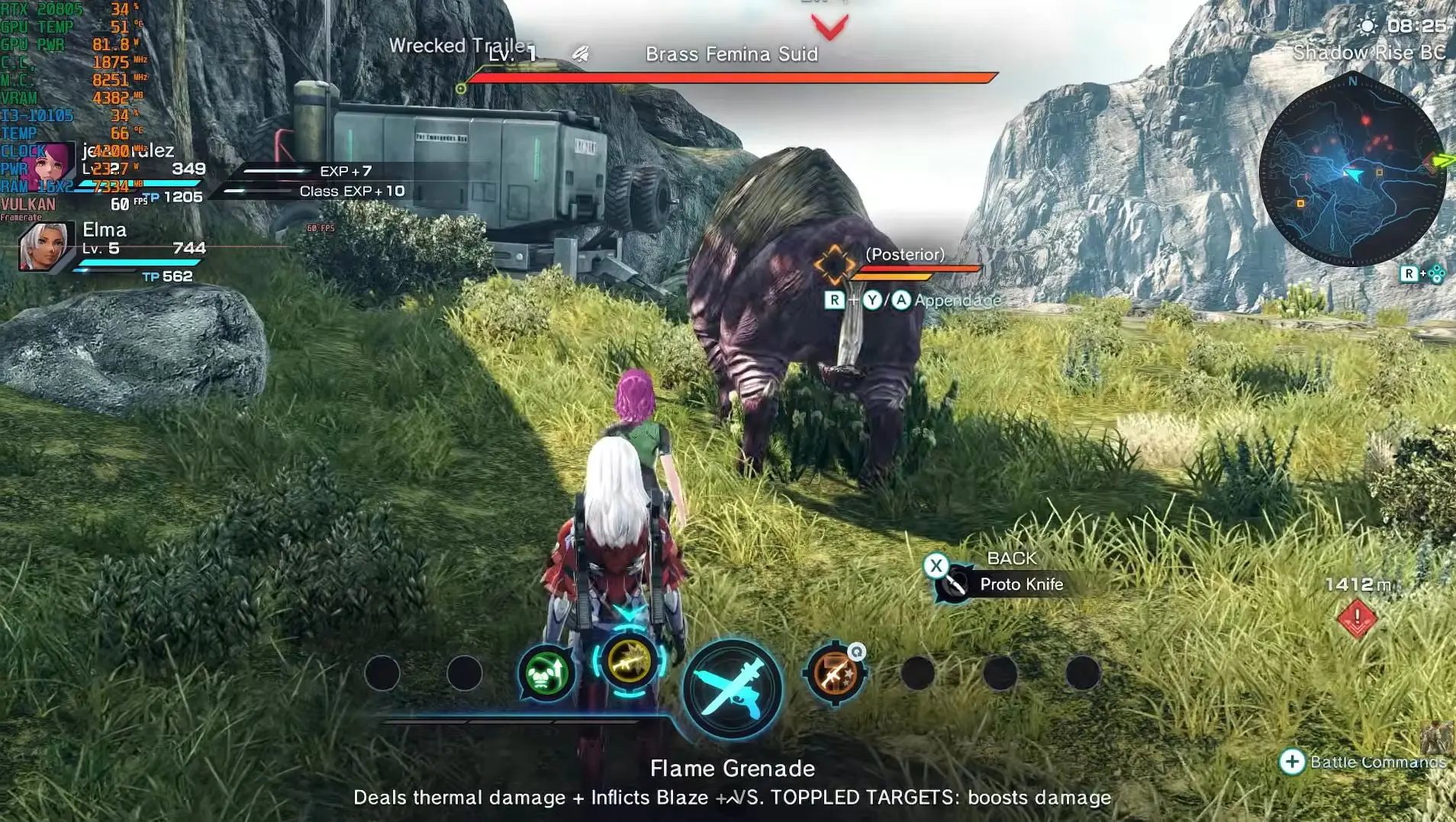
The project enables running the Definitive Edition directly on Windows 10 or newer as a native-looking title, delivering a baseline smoothness of 60 FPS, with the ability to push between 30 and 360 FPS in experimental mode, while keeping cinematics at 30 FPS to preserve voice acting and subtitle synchronization. It also includes on-screen performance monitoring tools and keyboard shortcuts to adjust options, plus keyboard, mouse, and controller support.
Improvements of the PC port for Xenoblade Chronicles X and plans for the future
Por si no lo conoces, Xenoblade Chronicles X es un aclamado juego de rol y exploración en mundo abierto ambientado en Mira, un planeta alienígena gigantesco donde la humanidad lucha por sobrevivir a bordo de mechas colosales, y que inicialmente debutó en 2015 para Wii U, destacándose por su apartado gráfico y su magnitud visual, antes de recibir en 2025 su versión Definitive Edition para Nintendo Switch, la base de este port.
Uno de los grandes avances del port para PC de Xenoblade Chronicles X es que disminuye los tirones de imagen al recorrer su vasto mapa, ya que previamente el juego no cargaba correctamente los shaders guardados de sesiones previas, obligando al equipo a compilarlos en tiempo real durante la partida. Ahora la aplicación los carga desde el inicio y aprovecha los archivos preparados durante la instalación.
La versión 0.1.14, publicada hoy, también corrige los videos pregrabados, como la introducción, y las imágenes de los tutoriales en Linux y Steam Deck, algo que el usuario que reportó el problema confirmó en su consola portátil, y hace que las partidas guardadas muestren su imagen en las pantallas de guardar y cargar.
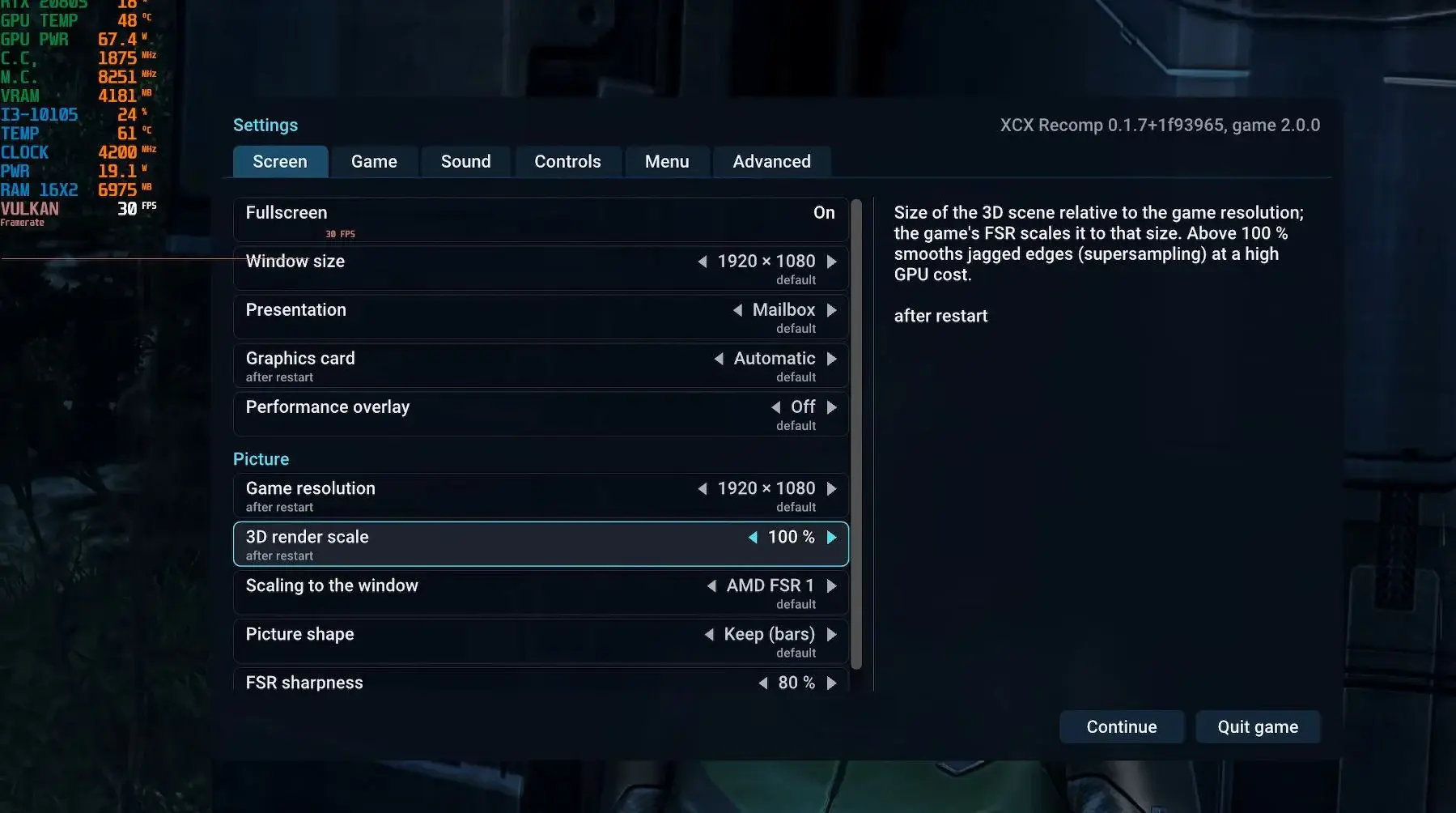
Comme prévu, it features built-in configuration menus, support for keyboard, mouse, or gamepads, and the advantage that you only need to install it once without losing your progress whenever new versions are released; performance runs by default at 60 frames per second and you can test higher rates while keeping combat speed intact, including Soul Challenges, although the author notes that anything beyond 60 FPS remains experimental.
On the other hand, the developer has laid out a clear roadmap for upcoming updates, and among the planned features are:
- Full support for Linux and Steam Deck, which are currently in testing.
- Compatibility with custom resolutions and ultrawide displays.
- Support for variable refresh rate (VRR).
- A system to load mods, which would allow utilizing several of the files originally created for emulators.
System requirements and how to install the Xenoblade Chronicles X PC port
If you’re interested in testing the Xenoblade Chronicles X PC port, here are the system requirements and a step-by-step guide to install it on your rig, noting that the project is in an early stage and you can play from a fresh save with cutscenes, audio, text, and menus functioning.
System requirements
- 64-bit Windows 10 or newer.
- x86-64 processor with AVX2 support.
- Graphics card compatible with Vulkan 1.3 and the VK_EXT_external_memory_host extension, such as GeForce GTX 900 series, RTX 2000/3000/4000 with up-to-date drivers.
- 36 GB free during installation, which drops to about 20 GB upon completion.
- Your own copy of Xenoblade Chronicles X Definitive Edition in NSP files, including the base game and update 2.0.0, plus your console’s prod.keys, and, if you wish, the DLC Exploration Support Package.
Installation instructions
- Download the installer. Go to the GitHub page for version 0.1.14, download XCX-Setup-0.1.14-windows.zip, and extract it to a folder.
- Open the installer. Double-click XCX-Setup.exe, and if Windows shows a SmartScreen warning for an unsigned program, click More information and then Run anyway.
- Choose your files, language, and folder. Select your game files and your prod.keys, choose the language you want to play in, specify the installation folder, and press Start so the installer builds the game once.
- Play. Launch xcx.exe from the installation folder, press F1 to open the configuration menu and F10 to view performance.
- Update when a new version is released. Simply run the new XCX-Setup.exe and select the same folder, because your saves and settings are preserved.
As with other ports, the Xenoblade Chronicles X PC port does not include any of the game’s original files, so each user must extract their own copy of Xenoblade Chronicles X Definitive Edition from their console, and since the game is assembled on your computer using those files, the result is intended for personal use only and must not be shared on the internet.
To close, it’s worth noting that this project is neither the same nor affiliated with TheMonadoGuy; it is a distinct initiative, because the original Monado repository was taken down from GitHub and cannot be obtained from its primary source, in line with Nintendo’s requests to remove other works such as Rhythm Heaven from the platform.
