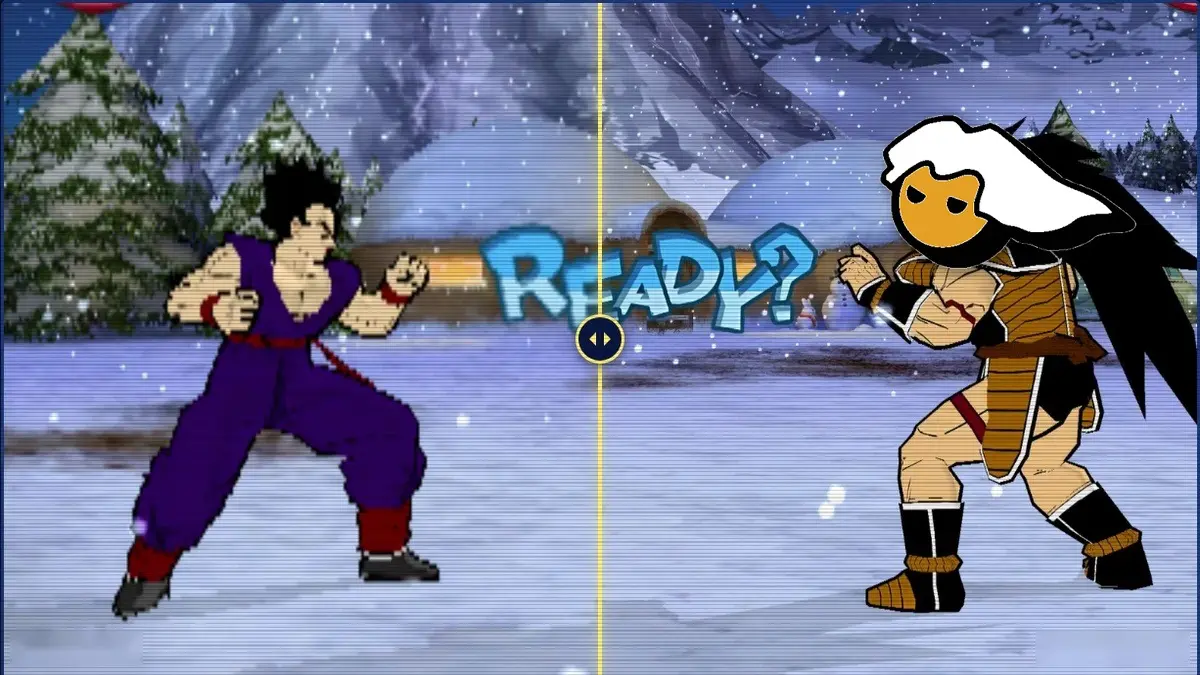
Dragon Ball Z fans have a new reason to jump back into the fray, because The Nimbus Project has released free PC ports for Dragon Ball Z Budokai, Budokai 2 and Sagas, three GameCube titles that now run natively on Windows without an emulator as Windows-native programs, with HD texture packs, a remastered mode, and online battles against other players, all gathered in a single launcher.
According to its creators, the project combines recompilation and decompilation of the original code, without using Dolphin or any other emulator, and since its first version, published on November 1, it has received three updates in just two days, joining the wave of ports that in recent weeks brought to PC classics of the saga such as Dragon Ball Z Budokai Tenkaichi 3.
What the Dragon Ball Z PC ports bring
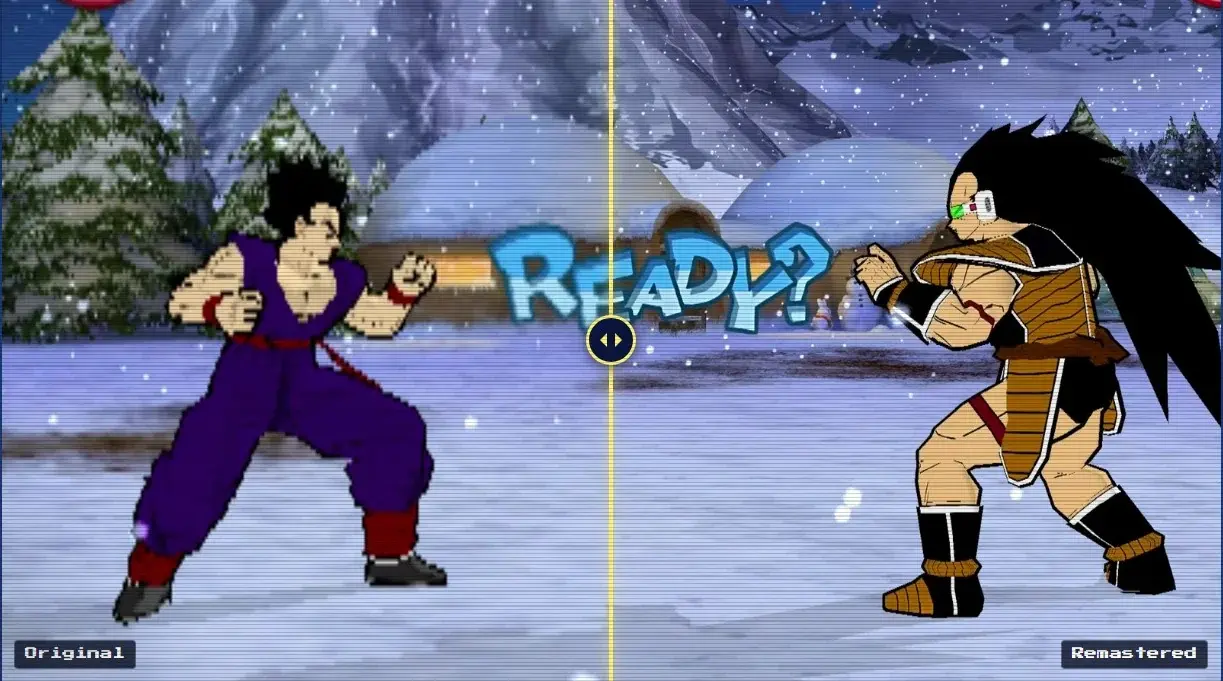
Each game offers an Original mode and a Remastered mode, with higher internal resolution than on the console, and optional HD texture packs for all three titles, AI-enhanced textures, more HD videos for Dragon Ball Z Sagas, and from the menu opened with F1 you can switch between the original and enhanced textures whenever you want.
The big novelty of the Dragon Ball Z PC ports is the online play, because you can create a match and share a code so a friend can join from anywhere, with servers in the United States, London and Amsterdam and encrypted connections, though you should note that it uses a system that tunes latency according to your connection rather than the rollback used by many modern fighting games.
It also includes local two-player matches on the same computer, the co-op mode of Dragon Ball Z Sagas, keyboard, mouse and controller support, and a launcher with an old television style and CRT filter, while in Budokai and Budokai 2 the quick match search takes you straight to the character select with all fighters unlocked.
The project also has versions for Linux and Android, and in some games it allows online play between PC and mobile, although only in combinations that its developers have tested, and in its next release it will add Dragon Ball Z Supersonic Warriors for Game Boy Advance, which according to an early preview will run at eight times the original resolution.
Is it in Spanish?
The ports operate using the North American versions of the GameCube games, so the text would be in English, just like on those original discs, and for now the project does not detail other languages.
How to install the Dragon Ball Z PC ports
The ports do not include any game files, so you need your own copies of Dragon Ball Z Budokai, Budokai 2, or Sagas in their North American GameCube (NTSC-U) version, extracted as disc images.
What you need before you start
- Windows 11 64-bit, because, for now, it is not compatible with Windows 10.
- A processor with AVX2.
- A graphics card that supports Vulkan.
- The Microsoft Visual C++ Redistributable for x64.
- Your copies of the games in their North American version.
Installation steps
- Download the main package. Go to The Nimbus Project site or its GitHub page and download the Windows main package, which includes the launcher and all stable modules.
- Install the Visual C++ Redistributable. If you don’t have it, download it from Microsoft’s site and install it before opening the launcher.
- Open the launcher and add your games. The launcher displays the status of each game, and when it recognizes your disc it appears ready to play.
- Download the HD packs (optional). From the same site you can download the HD texture pack for each game to activate later in the F1 menu.
- Choose how to play. Select PLAY to play solo, LOCAL 2 PLAYERS to play with someone on the same computer, HOST GAME to create an online match and share your code, or JOIN GAME to enter your friend’s code and join.
Common issues
- The launcher won’t open on Windows 10. Currently the Windows version is only compatible with Windows 11.
- A game shows as disc-less. Check that your copy is the North American version, because it is the only one compatible.
- You can’t connect with a friend. Both must have the same project version, as different versions reject each other, so update both to the latest.
- The Sagas co-op fails on Windows. Its developers caution that this mode is not yet fully tested on this platform.
It should be noted that the project is in alpha stage and its testing is limited to specific combinations of game, platform and version, so issues could appear, although the developers assure that the work continues and plan to release its source code later.
