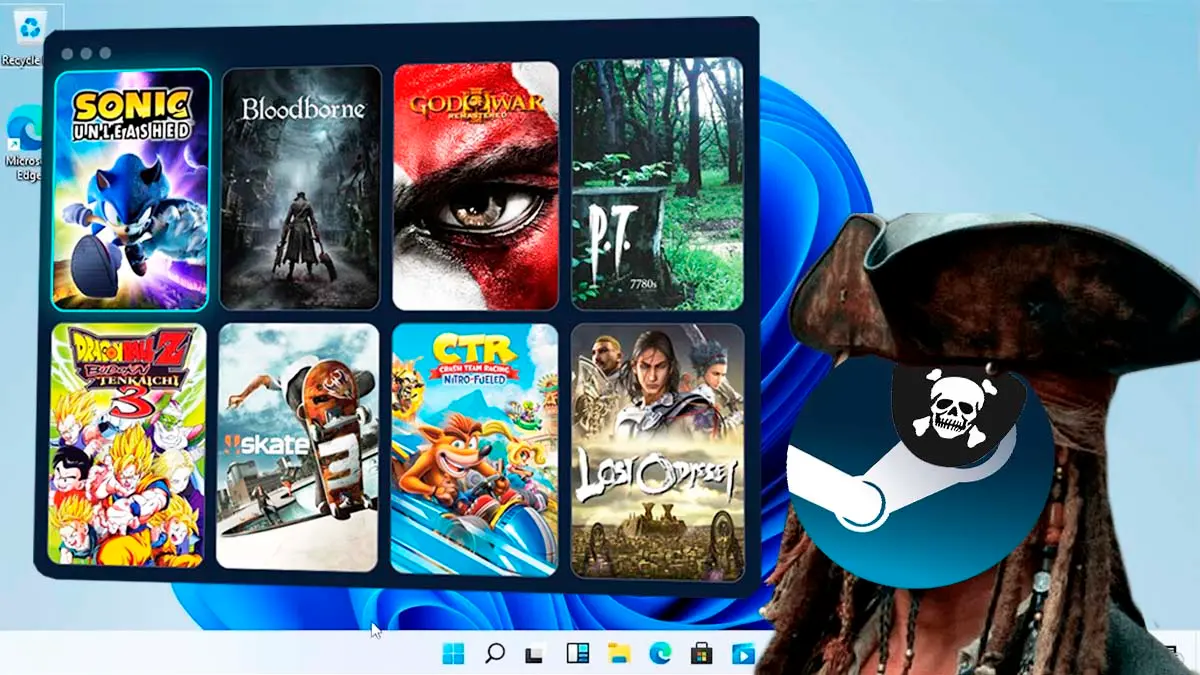
Free Steam Port Launcher Beta – Install & Update PC Ports Without Emulators
By John Kavinsky•
The Port Steam now has its own launcher, because RecompLauncher, the project’s app that brings together in a single catalog native ports of games such as Zelda, Bloodborne, and God of War III that run without an emulator, can now be downloaded for free in beta for 64-bit Windows 10 and 11 and also for Linux, with an installer, an AppImage, and a .deb package, as its creator had hinted when he said the launcher would arrive soon, and although it remains in testing, it presents itself as a free and open-source application whose latest version, 0.9 beta 1, is dated October 31 and adds Linux support, while the Mac version is still pending.
This initiative started as a website with a catalog of more than 200 projects and now adds an application that aims to solve the hassle of going to search for each port in a different GitHub repository, since it allows discovering, installing, and updating the recomps from the official publication of each developer, with a Discover tab that shows screenshots, requirements, and how each game runs on other players, verifies each download with the GitHub checksum, lets you switch between versions of the same game or keep several at once and, in the compatible ports, offers an Easy Setup that asks for your disk image or the folder of your game so it can handle the rest, in addition to including its own graphical presets with looks such as Sharp, Vivid, Film, and CRT, and enabling Linux gameplay for ports that exist only for Windows via Proton, always with your own copy of the game, since the launcher does not include or download game files.
In this space there are games from Nintendo 64, GameCube, Wii U, PlayStation, PS2 and PSP, in addition to Xbox, Xbox 360, Switch and PS4, organized into categories such as action, fighting, adventure, platformers, racing, shooters, sports and RPG, and to see what is most downloaded, the platform has a list based on the downloads of each port on GitHub.
Zelda Ocarina of Time, with Ship of Harkinian
Zelda Twilight Princess, with Dusklight
Sonic Unleashed, with Unleashed Recompiled
Zelda Majora’s Mask, with 2 Ship 2 Harkinian
Bloodborne, with Bloodborne PC
God of War III Remastered, with SpartanPort
Zelda Majora’s Mask, with Zelda 64 Recompiled
Mario Kart 64, with SpaghettiKart
Star Fox 64, with Starship
Banjo-Kazooie, with Banjo Recompiled
Further down in the Port Steam ranking appear other highly recognized titles, such as Super Mario 64, Super Mario Sunshine, Skate 3, Dragon Ball Z Budokai Tenkaichi 3, Crash Team Racing Nitro-Fueled, Castlevania: Symphony of the Night, Uncharted, Driveclub, Pokémon Let’s Go Pikachu, Silent Hill, The Legend of Zelda: Breath of the Wild, Pikmin and Fable II.
How to Install the Port Steam Launcher: Requirements and Final Considerations
To use these ports you need 64-bit Windows 10 or 11 or Linux, a recent graphics card, an internet connection for downloads and updates, and your own copy of the files for each game, since the launcher does not include or download games and, where ports are compatible, it handles setting everything up from your own copy, while the Mac version is not yet available.
There are also external options such as Quiver Launcher, although if you prefer to use the official Port Steam launcher, here are the steps.
Install on Windows
Download the installer from this link and open it.
If Windows says it protected your PC, click More information and then Run anyway.
Choose where your games will go and add the folders where you store your game files.
Install a port, point it to your own copy of the game the first time, and start playing.
Install on Linux
AppImage: right-click the file, open Properties, enable the option to allow it to run as a program, and then open it, or use the command chmod +x on the file in a terminal.
.deb package: on Ubuntu, Mint, Pop!_OS or Debian you can use it instead, by opening it in your software installer or running sudo apt install ./ followed by the file name.
Steam Deck: switch to Desktop Mode and use the AppImage file.
While the beta is new, Windows might show the message “Windows protected your PC” when opening the installer, and the launcher verifies each download with the GitHub checksum before installing it.
What you need
64-bit Windows 10 or 11, or 64-bit Linux.
Your own copy of each game.
A recent graphics card, and the page for each game indicates its requirements.
An internet connection for downloads and updates.
Finally, it is important to note that several of these ports come from games owned by companies like Nintendo, which has begun removing projects of this type from GitHub, such as the Rhythm Heaven port, so some catalog games could be taken down in the future.
J
Written by
John Kavinsky
John Kavinsky covers Grow a Garden recipes, updates and practical gameplay tips for the site.