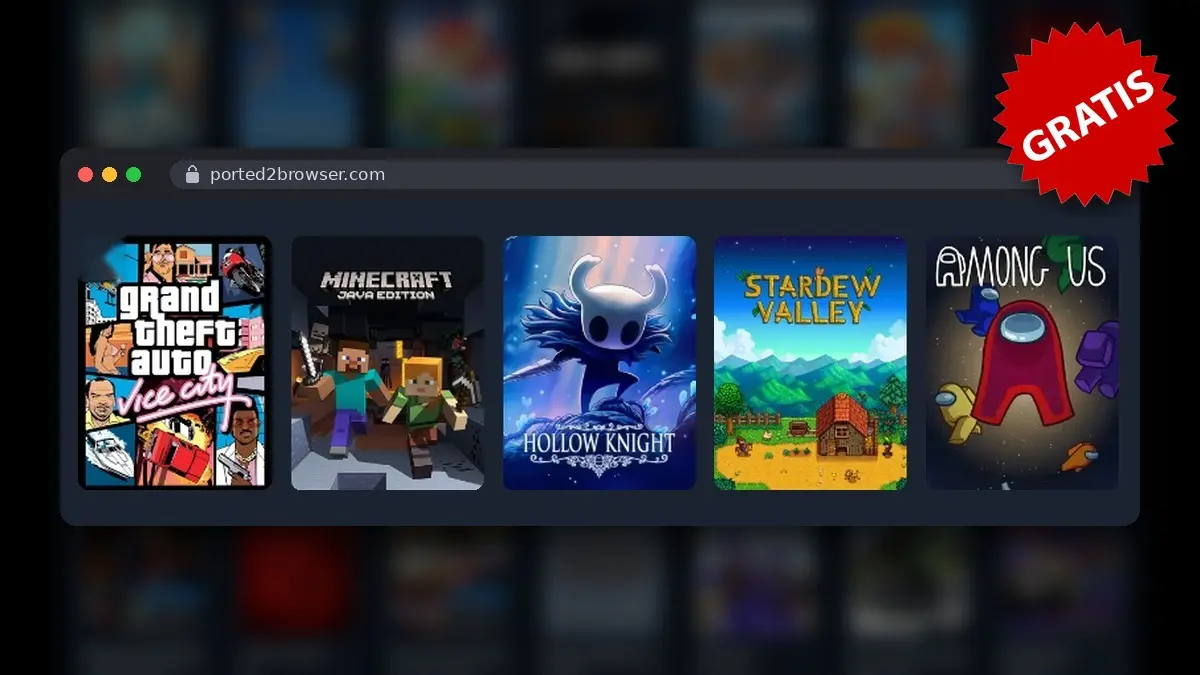
If you’re the type who wants to pass the time with something more than the Chrome dinosaur game, there’s a site becoming indispensable. It’s called Ported2Browser and it brings together more than 240 browser games that you can play for free and without installing anything, including titles like Minecraft, Hollow Knight, Stardew Valley, and GTA Vice City, alongside recent hits such as Among Us, Balatro, Lethal Company, and R.E.P.O.
The project operates as a directory that gathers in one place the games and apps the community has managed to adapt to run inside a browser tab. The most striking thing is how rapidly it’s growing, because when its creator, known as BrowserBoy, unveiled it at the end of September it had just over 100 games, by mid-October it reached 210, and today it totals 245 titles.
What browser games can you find on Ported2Browser
The catalog runs the gamut and isn’t limited to retro fare. On the indie front of the most beloved in recent years appear Hollow Knight, Cuphead, Celeste, Terraria, Stardew Valley, Vampire Survivors, Balatro, Brotato, and Buckshot Roulette, in addition to titles that went viral for playing with friends, such as Among Us, Lethal Company, R.E.P.O., and PEAK.
For PC game enthusiasts there are also big names, such as Minecraft, Counter-Strike, Half-Life, Age of Empires II, Diablo, Quake II, Duke Nukem 3D, Warcraft II, and RimWorld, alongside franchises like Grand Theft Auto, with GTA III, Vice City, and GTA V, and Halo: Combat Evolved.
And if you lean toward consoles, the site includes games such as Super Mario 64, Mario Kart 64, Super Smash Bros. 64, Pokémon Red and Blue, Paper Mario, Crash Bash, Sonic the Hedgehog, and Dragon Ball Z Budokai Tenkaichi 3, the latter in the very version that we noted can be played online in the browser.
To help you find what you’re looking for, the site sorts games by platform, and the most striking fact is that almost half of the catalog are PC games, with 118 Windows titles and another 20 for DOS. Among the consoles, Nintendo 64 stands out with 14 games, PlayStation 2 with 11, and the original PlayStation with 9, though there are also titles for NES, Super Nintendo, GameCube, Xbox 360, Xbox One, PS4 and Nintendo Switch, as well as handhelds like Game Boy, Game Boy Advance and PSP. The site also shows the latest additions, which today are Hollow Knight and Homeworld, and it has an option to suggest new games, so the catalog should keep growing.
How these browser games work
Ported2Browser isn’t an emulator, but a directory. When you pick a game, it takes you to the port created by each developer, so not all of them work the same way. To know what to expect, every game comes with a tag that indicates how it was adapted.
- Emulator: the game runs inside an emulator within the browser.
- Recompilation: the game’s code has been translated to run natively in the browser, which typically yields better performance.
- Fangame: fan-made versions or games inspired by the original.
- Romhack: modified versions of original games, such as Pokémon or Zelda hacks.
- Compendium: collections that bring several games from the same saga together in one place.
- In development: the port isn’t finished yet and may have glitches.
- Repository: instead of opening the game directly, it takes you to the project’s page, where the instructions to play are laid out.
Some games also appear with a warning icon, indicating they might have issues, so it’s normal that not all run perfectly. Still, the vast majority load in seconds and can be played with a keyboard, mouse, or controller, just like any other PC game.
- Open Ported2Browser from your browser, preferably on a computer.
- Search for the game you want or filter by platform in the left-hand menu.
- Check the game’s tag to know if it’s an emulator, a recompilation, or a fangame.
- Click the game to open it on the site where the port is hosted.
- Follow that page’s instructions to start playing, since some ports require pressing a key or clicking to load.
If you enjoy this kind of browser-based gaming, it isn’t the first time the community has surprised with something like this, as not long ago we also showed you how to play Super Mario 64 for free in the browser with up to 12 players online, a testament to how far this technology has come.
