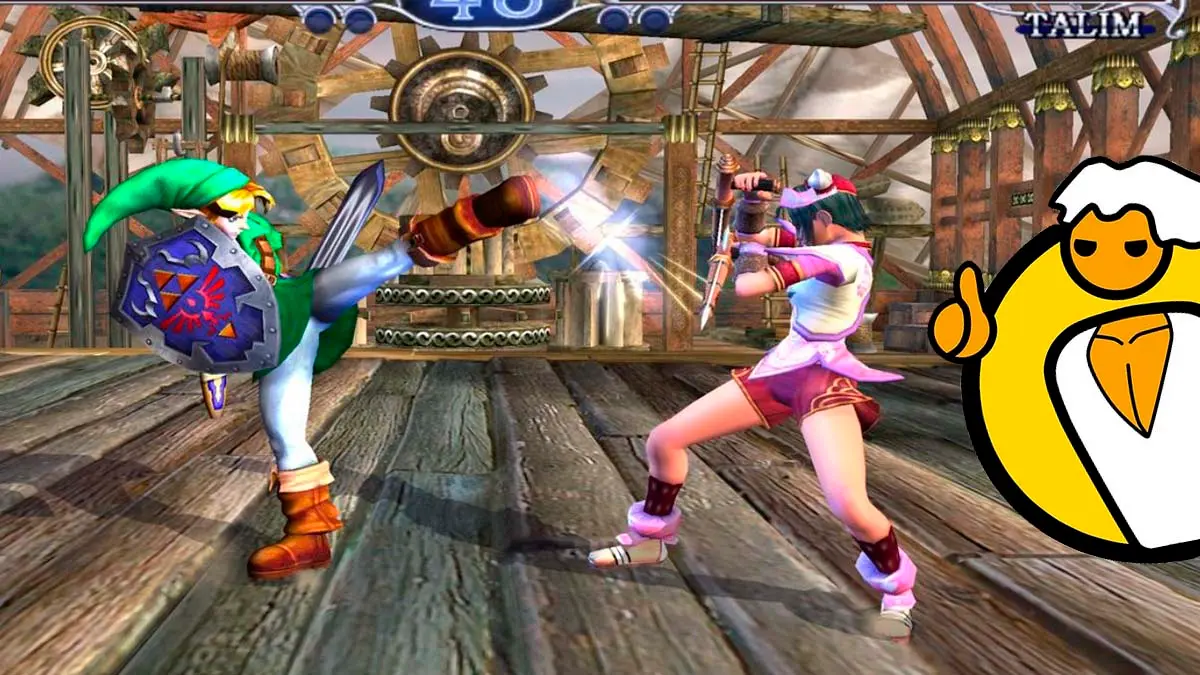
The classic fighting game Soulcalibur II, beloved by a full generation on the 2003 consoles, has just leaped to PC thanks to an ambitious community project, with a PC port of Soulcalibur II that runs without an emulator and that lets you experience the original game directly on modern hardware, without relying on heavy emulators or complex setups.
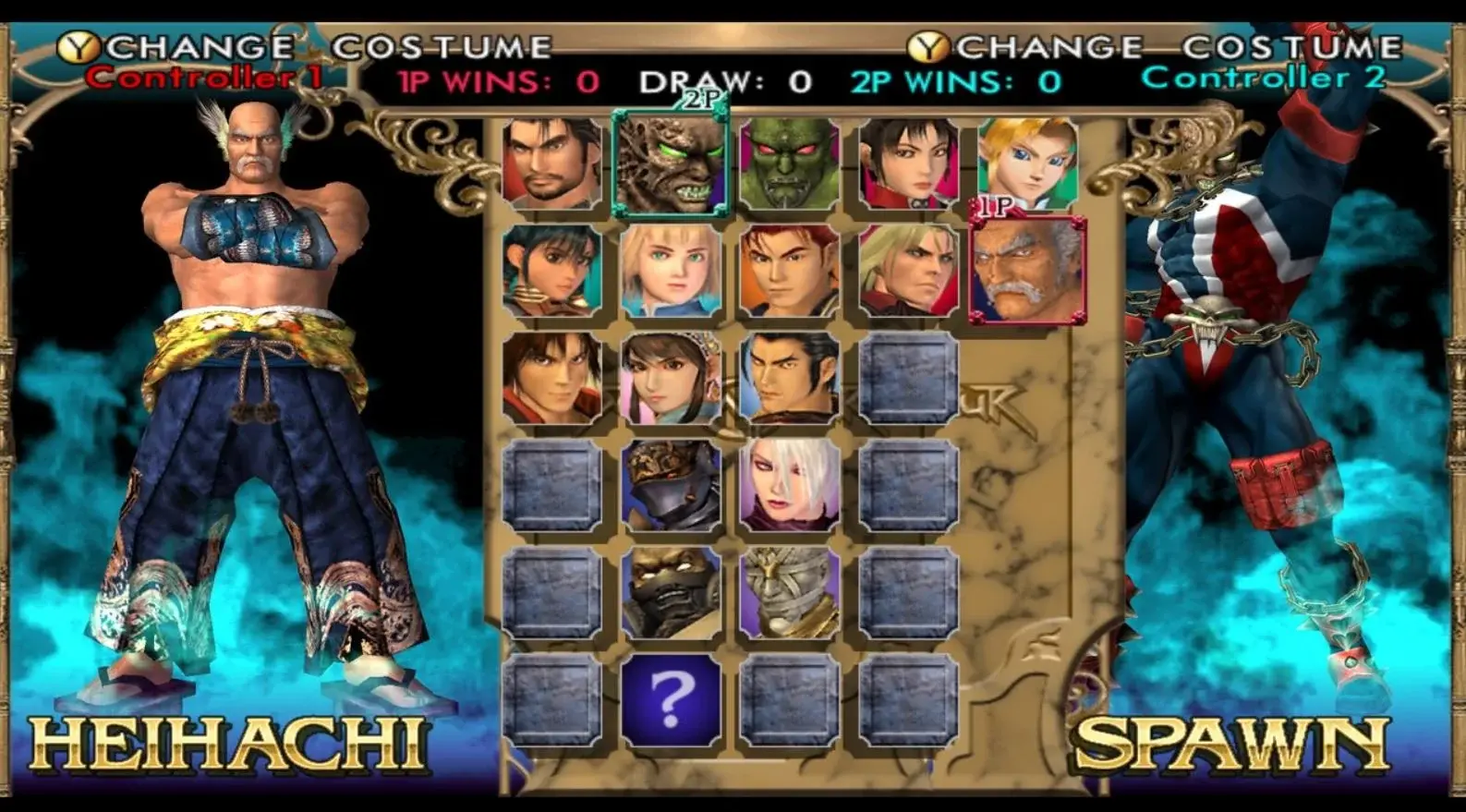
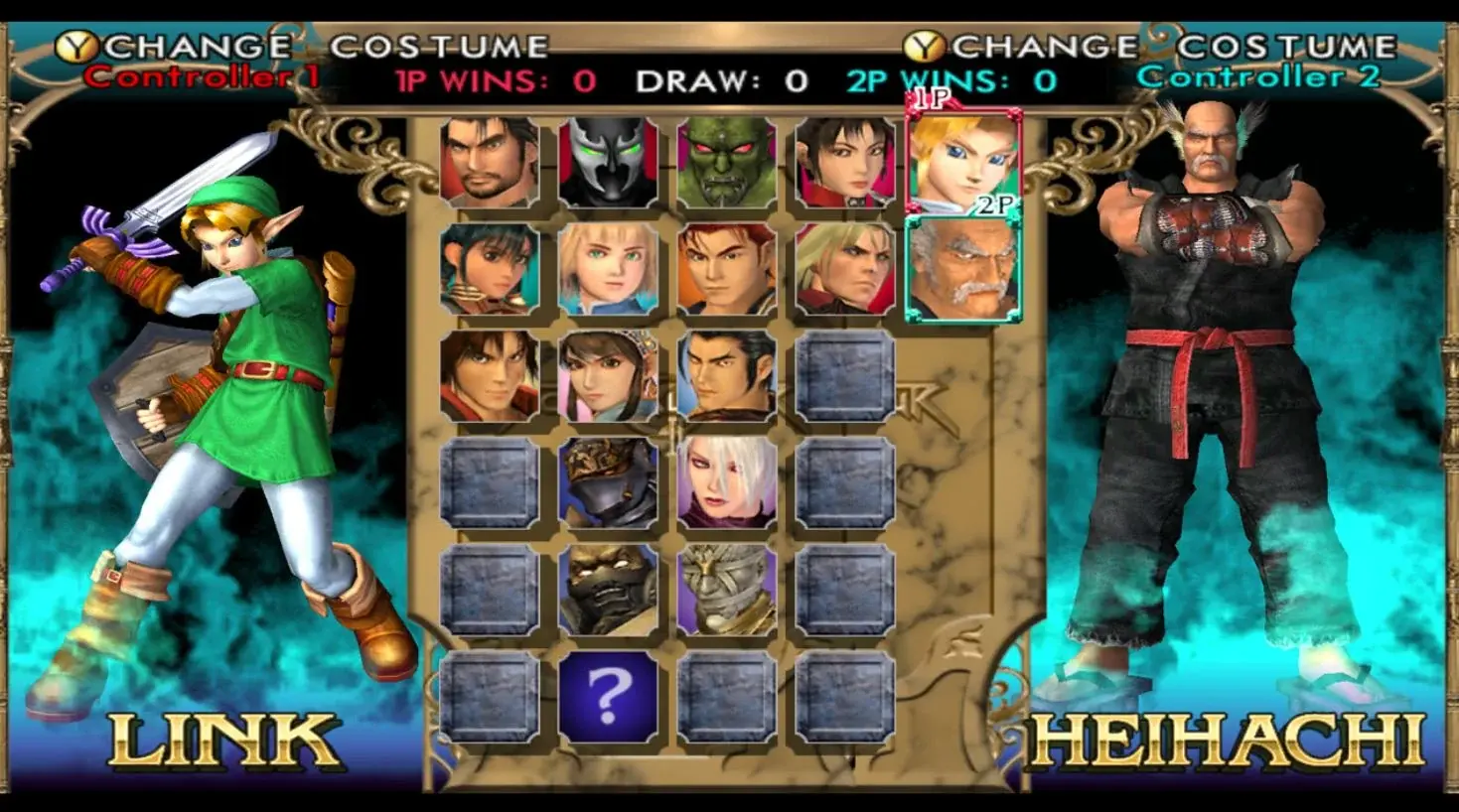
This achievement for the first time brings together fighters who were previously separated by platform exclusivities, thanks to a static recompilation that translates the game’s Xbox version code into a native program for Windows, Linux, and Mac, which allows Spawn, Link, and Heihachi to be on the same selection screen and in all game modes for the first time in history, in addition to support for widescreen and resolutions up to 4x, a free camera to explore the stages and capture images, retro filters such as CRT shaders, and an advanced training mode designed for competitive play.
What the Soulcalibur II PC port brings
For those unfamiliar, Soulcalibur II was released in 2003 by Namco, today Bandai Namco, for Xbox, GameCube and PlayStation 2, and it is a beloved three-dimensional fighting game based on weapon-based combat, notable for its extremely fluid controls, its groundbreaking graphics for the era, and its extensive single-player campaign, Weapon Master, based on missions and weapon collection.
At the time, the company decided to include an exclusive guest character on each console, because the Xbox version featured Spawn, the comic antihero, while the GameCube version had Link from The Legend of Zelda, and the PlayStation 2 version had Heihachi Mishima from Tekken, forcing players to buy different versions if they wanted to control their preferred character.
Now, using the Xbox version as a base, the Soulcalibur II PC port integrates a system that processes on your own computer the discs from the other consoles to import the models, moves, weapons, voices, illustrations and endings of Link and Heihachi, so that the three guests share the same template and appear in Arcade, VS, Weapon Master, the extra modes and the museum, without altering the essence of the original game.
Alongside this historic feature, it includes an advanced hitbox training, which shows in red where each attack lands, frame data, a combo log, and a dummy that records and repeats what you teach it, in addition to saving states and slow motion, and a free camera that allows pausing the action, hiding the interface, and moving the framing in any angle to capture images with F12.
To this, there is the radical modernization of the experience: the online multiplayer with rollback, the same system that brought the app to play Super Smash Bros Brawl online on PC and that reduces lag in distant fights, with codes to invite another player, a waiting room, in-game chat, and the option to reconnect with the same code if the connection drops.
How to install the Soulcalibur II PC port on Windows, Linux, and Steam Deck
If you’re eager to try the Soulcalibur II PC port on your setup, here are the instructions, noting that, as its creators state, game files are not included, so you’ll need your own copies of Soulcalibur II, and that the author tested it primarily on Mac, while the Linux version runs on a Steam Machine and the Windows version can be downloaded but has not yet been tested by its creator.
What you need before you start
- The Xbox Soulcalibur II disc image in the US version, in .iso format, or the Default.xbe file among the disc files.
- The GameCube disc image, only if you want to add Link.
- The PlayStation 2 disc image, only if you want to add Heihachi.
- The port package for your operating system, from the project’s releases page.
Installation steps on Windows
- Download the port. Go to the GitHub page for version 0.1.0-beta.2, download the Windows file and unzip it to a personal folder, such as Documents, avoiding system-protected folders.
- Open the launcher. Double-click soulcalibur2-launcher.exe, and if Windows shows a security warning, allow its execution.
- Add the base game. In the Game tab, select your Xbox .iso image or the Default.xbe file, which the launcher reads and only reads, without modifying it.
- Add the guests (optional). In the Guest tab, choose your GameCube or PlayStation 2 discs, and the launcher will assemble Link and Heihachi once, in a few minutes.
- Configure and play. Set up the screen, graphics and controls in the launcher, press Play, and inside the game open the menu with Esc, F1 or the Back button on the controller to change options, enable training or play online.
Installation steps on Linux and Steam Deck
- Download the Linux package. Get it from the project’s releases page.
- Open the launcher in desktop mode. On the Steam Deck, switch to desktop mode, unzip the package into a permanent folder, and run soulcalibur2-launcher.
- Add your games. Select the Xbox base game and, if you want, the discs from the other consoles in the Guest tab to generate the guests.
- Add it to Steam for game mode. From Steam, use the Add a Non-Steam Game option and choose the launcher, so you can launch it later from Steam Deck’s game mode.
How to play online
- Use the same version. Both players must have the same port version, because matches from different versions cannot be chosen.
- Create or join a match. From the launcher or in-game menu, create a match and share its code, look for your opponent in the waiting room, or enter the code you were sent to join.
Thus you can enjoy the Soulcalibur II PC port, an unofficial version that rescues a 2003 classic as a native program for computers and finally brings together Spawn, Link and Heihachi in a single game.