Microsoft introduced significant performance improvements for Windows 11, aimed at making the system run with much greater speed and fluency on computers with 8 GB of RAM, which could be excellent news for users with modest hardware configurations. The announcement comes at a pivotal moment, because the global memory shortage led manufacturers to revert to 8 GB as standard, and the company spent several months tuning the system so that those devices do not suffer.
According to the official information provided by the company, Windows 11 is now up to 20% faster at responding to daily clicks and interactions, thanks to a much more efficient use of memory, which can keep up to 2 GB more of active data in RAM instead of sending them to the disk, which is slower. A clear example of this work can be seen in Widgets, which on 8 GB or less systems now load only when you choose to open them, allowing more than 200 MB of RAM to be freed so that your main applications and work programs run without hiccups.
How did Microsoft measure these improvements in system agility
Over several months of ongoing work, the company’s engineers focused on optimizing how the computer manages memory and on significantly reducing delays when opening the Start menu, browsing File Explorer, using the system search, entering Settings, or using the Snipping Tool.
These improvements reach first to Windows Insider Program users and will be rolled out to the rest progressively during this year, so their arrival will depend on your device model and the version of the operating system installed. By reducing the computer’s reliance on the disk to process momentary information, the daily experience feels much lighter and smoother for any type of user.
“It is an example of the broader work being done to reduce Windows memory consumption and offer a fast and fluid experience on the computers people use daily, an area we have explicitly focused on for Windows,” the company explains on its official blog, in a statement originally in English.
To certify that these optimizations are noticeable in real life and not just on paper, the company’s specialists compared the behavior of the test build 26300.9550 with the previous version, build 26200.7628.
During these laboratory evaluations, exact response times were recorded for opening the right-click menu, performing file searches, loading the Settings window, launching the Snipping Tool, and using File Explorer. It is important to clarify that this increase of up to 20% refers to the speed with which the system interface responds, and does not mean that the computer’s processor suddenly gained 20% more power overnight.
Because of this, the real impact you will notice in daily use can vary depending on your PC components, the apps you have open at the same time, and the type of work you perform. Despite these variations, machines with 8 GB of RAM or less are the ones that should notice Windows 11 is faster the most, especially when many apps or tabs are open at once in everyday programs like the Microsoft Edge browser or the Microsoft 365 applications.
New useful features for search and the system
In addition to speeding up the general system response, the company is implementing practical tweaks to make daily computer work easier. On one hand, Windows Update will now require only one restart per month and its installations will be shorter, generating fewer interruptions that disrupt your workflow, a welcome development in a week when other updates, such as the NVIDIA App update, arrived with changes no one asked for.
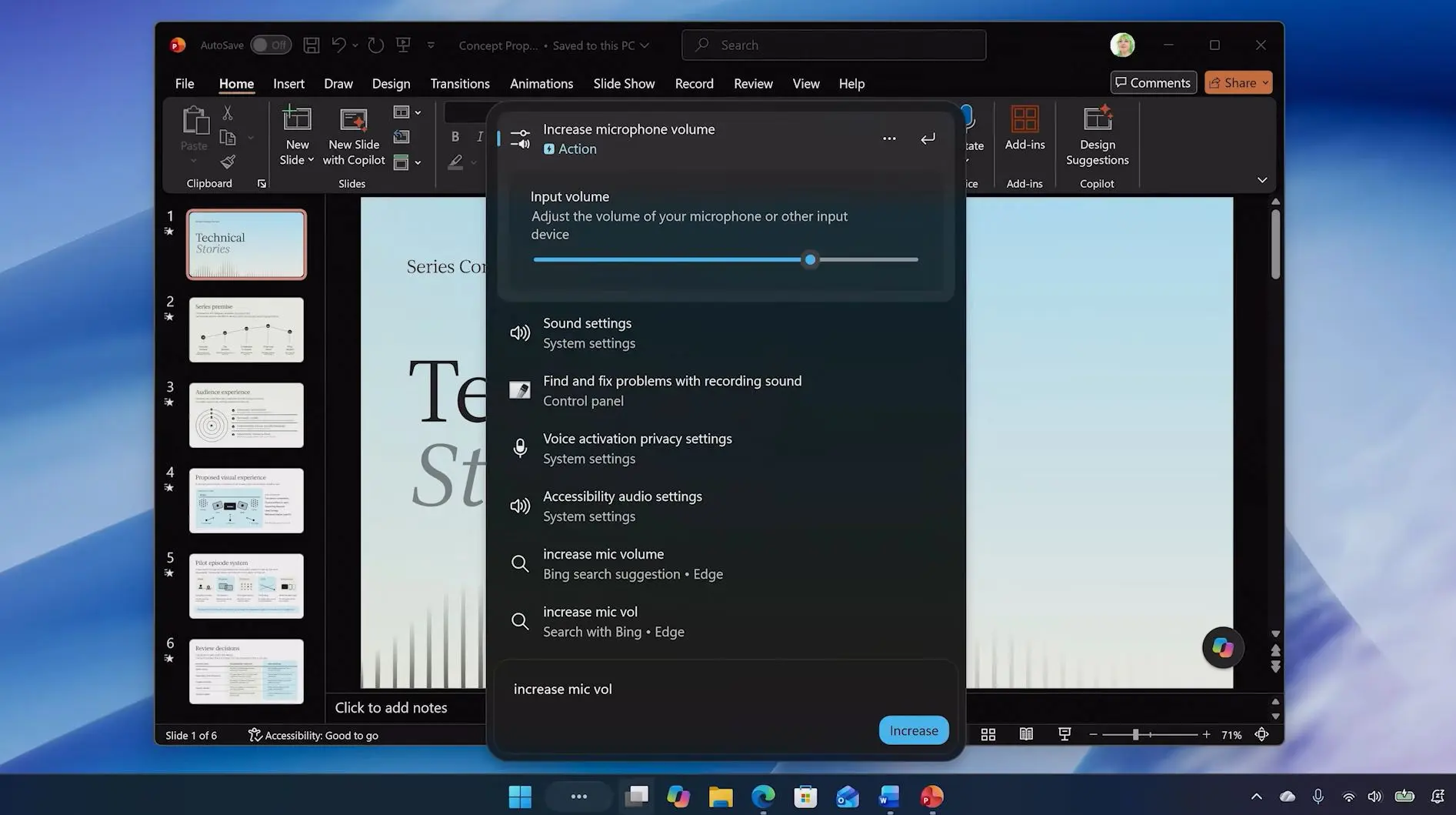
On the other hand, the operating system’s search bar has been redesigned to be much more practical, allowing direct adjustments such as enabling dark mode or night light without having to navigate through the configuration menus.
“Finding the right result is often just the first step. After you find what you’re looking for, you often need to go somewhere else to complete the task. Actions let you perform common Windows tasks directly from the search results,” the developers emphasize in an explanation originally in English about this new way of working.
To finish, and alongside these tools, the update brings back options highly requested by the community, such as the ability to move the taskbar to the top or to the sides of the screen. In addition, signing in with Windows Hello is faster and more reliable, and pairing headphones such as AirPods over Bluetooth is up to 15 seconds faster.